

We have released "Easy Japanese & Readability Checker," a Chrome extension and the third tool in Liberogic's web accessibility lineup.
The first tool, "Area Contrast Checker," and the second, "A11y Navigation Auditor," focused on diagnosing web pages. This new tool supports both readers and writers.
It helps readers by converting difficult Japanese text on a page into easier language with one click, and it supports writers by visualizing the difficulty of their text with an objective score.
Background of Development
When people think of web accessibility, they often focus on technical and structural aspects such as color contrast, markup, and ARIA.
However, even when a page's structure is sound, information will not reach readers if the text itself is difficult to understand. Difficult Japanese used in news and government documents remains a major barrier for foreigners, children, older adults, and Japanese language learners.
This connects to the WCAG reading level success criterion (3.1.5 Reading Level, AAA), an important aspect of web accessibility.
What is "Easy Japanese"?
"Easy Japanese" is a way to overcome these barriers.
It refers to rephrasing everyday Japanese in a clear, considerate way for the reader. It is based on short sentences, simple vocabulary, furigana, and word spacing.
It originated after the 1995 Great Hanshin-Awaji Earthquake, when disaster information failed to reach foreign residents who were not familiar with Japanese. Initially used as a means of conveying information during disasters, it is now promoted by national and local governments and has spread to a wide range of settings, including public administration, daily life, and tourism.
Note: The Japanese word "yasashii" carries two meanings: "easy" (simple to understand) and "kind" (considerate toward others).
Making Any Page Easier to Read
Several systems already exist to help websites offer Easy Japanese, but most are cloud-based services that site operators (publishers) install on their own sites and provide to their visitors.
While this approach is reliable for publishers, it has limitations: it only works on sites where it has been installed, and it requires a contract or fee. Existing solutions have not fully met the need for readers who want to make news or government pages easier to read on the spot.
Because this extension is installed in the browser by the reader rather than the publisher, it works on any page, whether or not the site has adopted support, and it is free to use. It also includes a readability checker to support writers who create text.
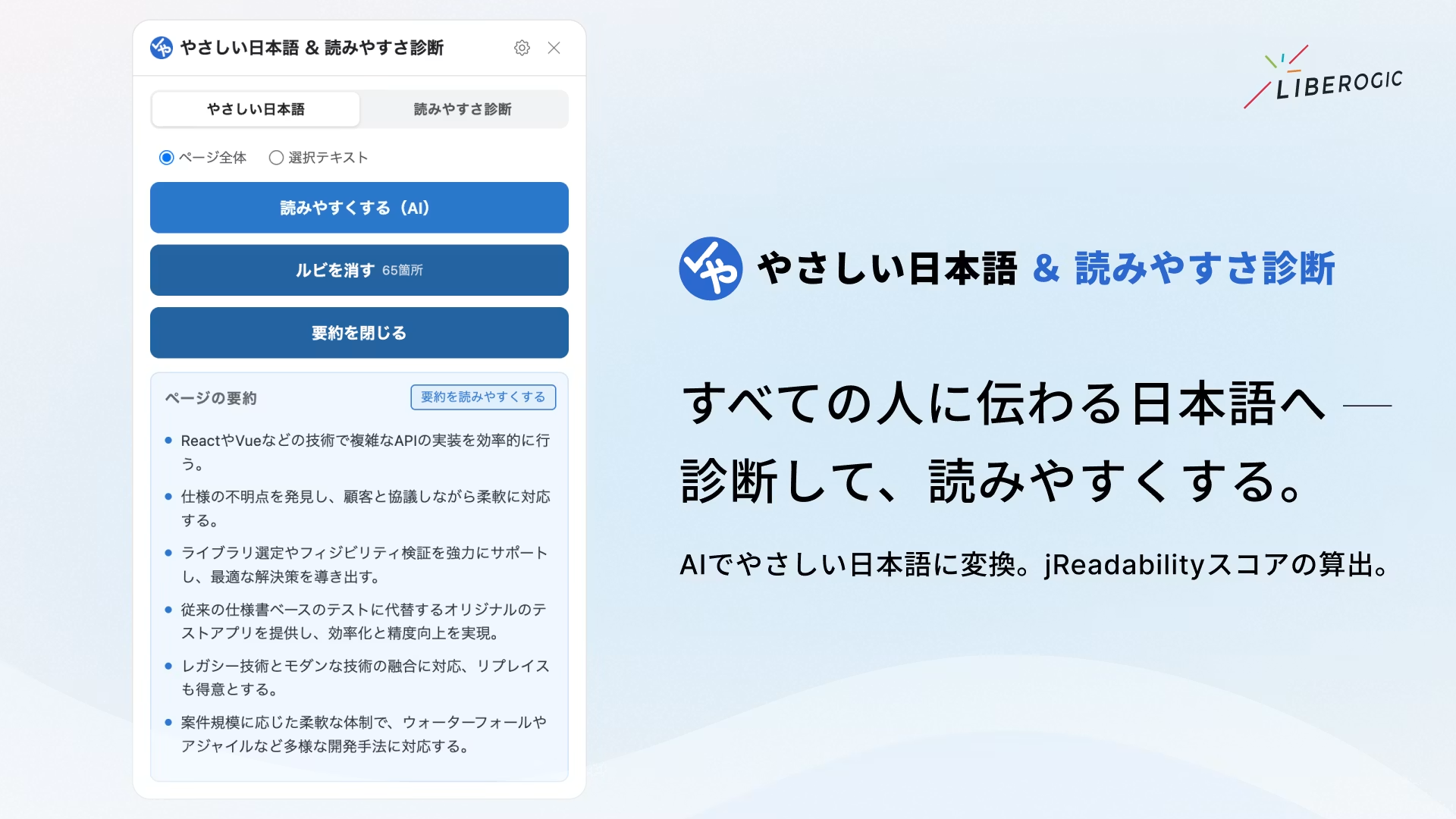
Two Core Features, Entirely On-Device
This extension leverages Chrome's built-in on-device AI, "Gemini Nano," and the morphological analysis engine "Kuromoji" to handle both "conversion" and "diagnosis" entirely within your browser (locally).
No API key or token costs are required, and no text is ever sent to external servers, so you can use it as often as you like with peace of mind.
Key Features
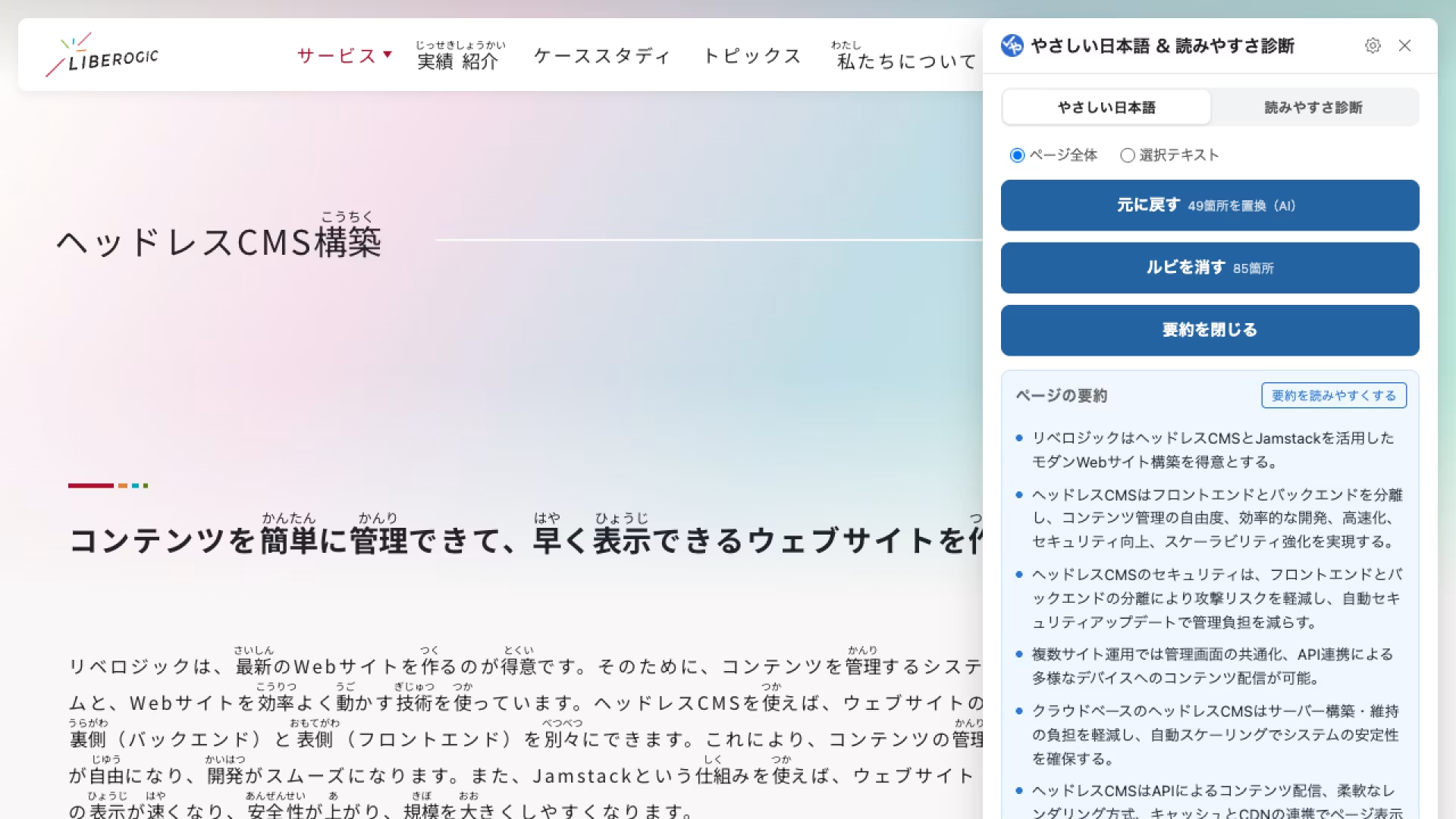
Easy Japanese Conversion (for Readers and Learners)
▪️Make Text Easier to Read with AI
Chrome's built-in AI automatically splits difficult sentences and rephrases stiff expressions.
▪️Add Furigana (Reading Aids)
Using Kuromoji morphological analysis, furigana is added to kanji on the page. Target levels and font size are customizable.
▪️Summarize with AI
Quickly summarize page content in bullet points. The summary can also be further converted into easy Japanese.
▪️Convert Selected Text
Convert only the parts you're interested in into easy Japanese with precision.
Readability Diagnosis (for Writers and Reviewers)
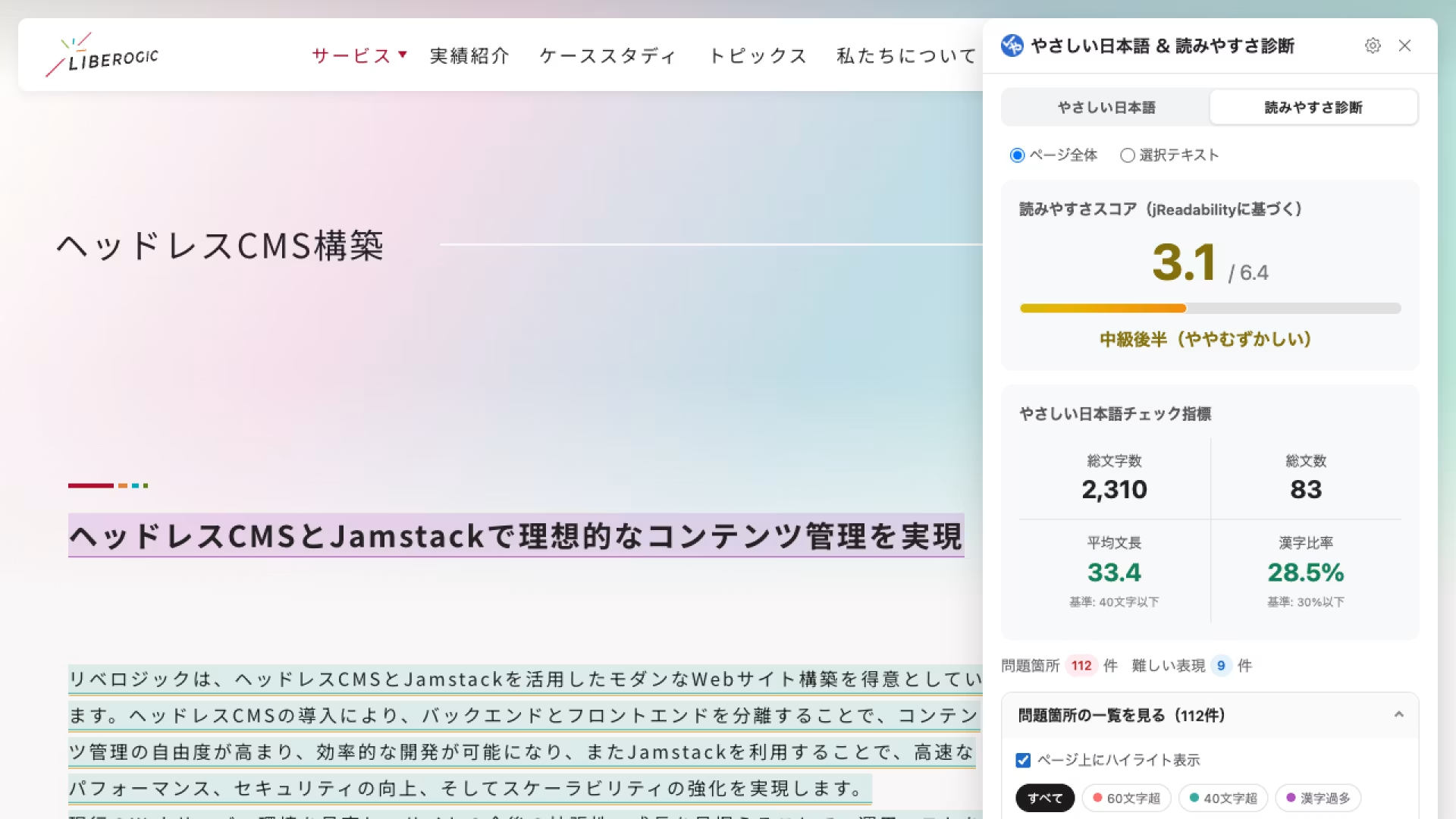
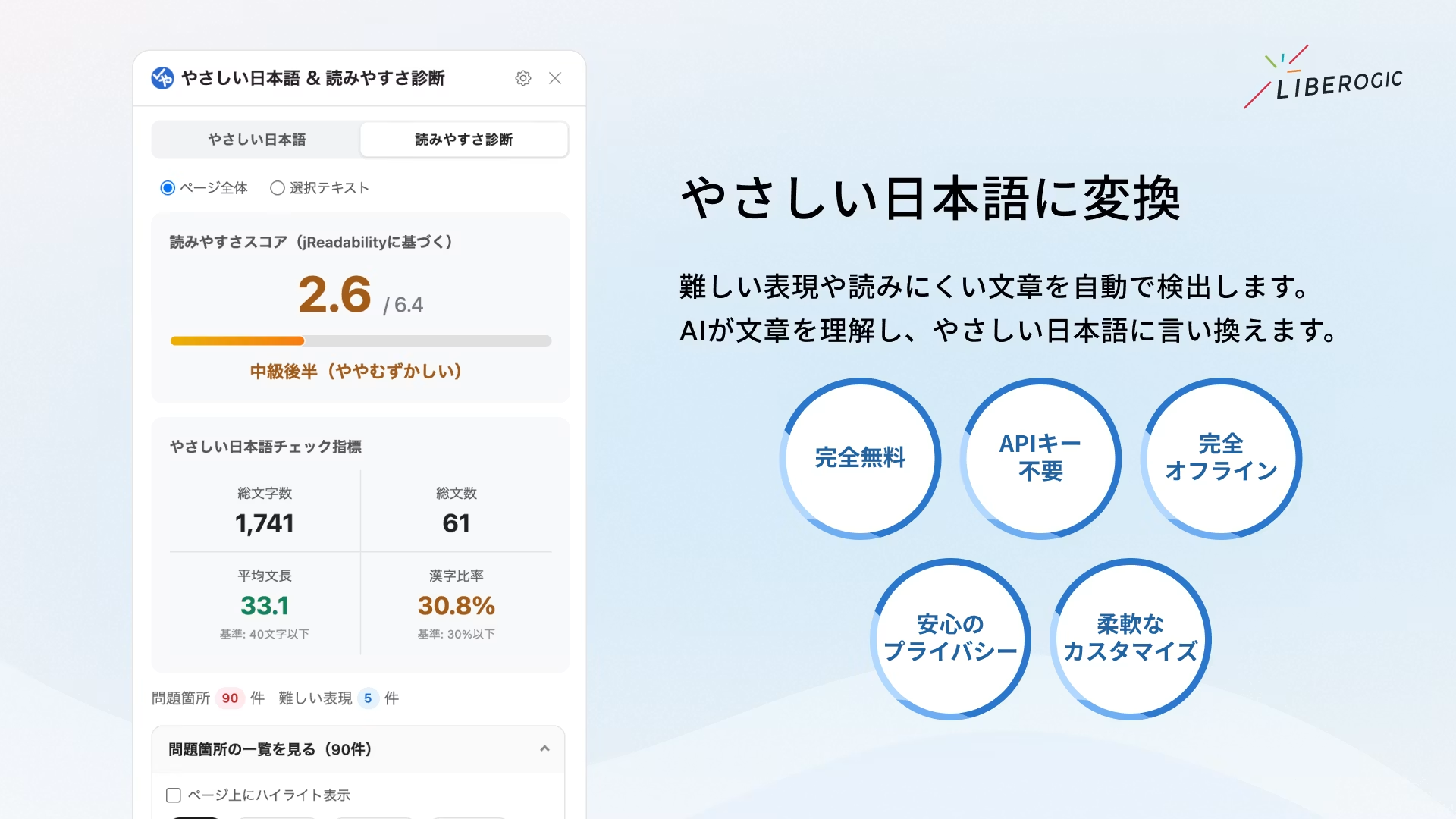
▪️jReadability Score
Calculates a readability score based on academic research (Lee & Hasebe 2015). Difficulty is objectively rated on a six-level scale from 0.5 (very difficult) to 6.4 (very easy).
▪️Easy Japanese Guideline Check
Displays a summary of total characters, average sentence length (guideline: 40-50 characters or fewer), and kanji ratio (guideline: 30% or less).
▪️Visualization of problem areas
Overly long sentences and difficult words are color-coded and highlighted on the page, so you can see at a glance what needs fixing.
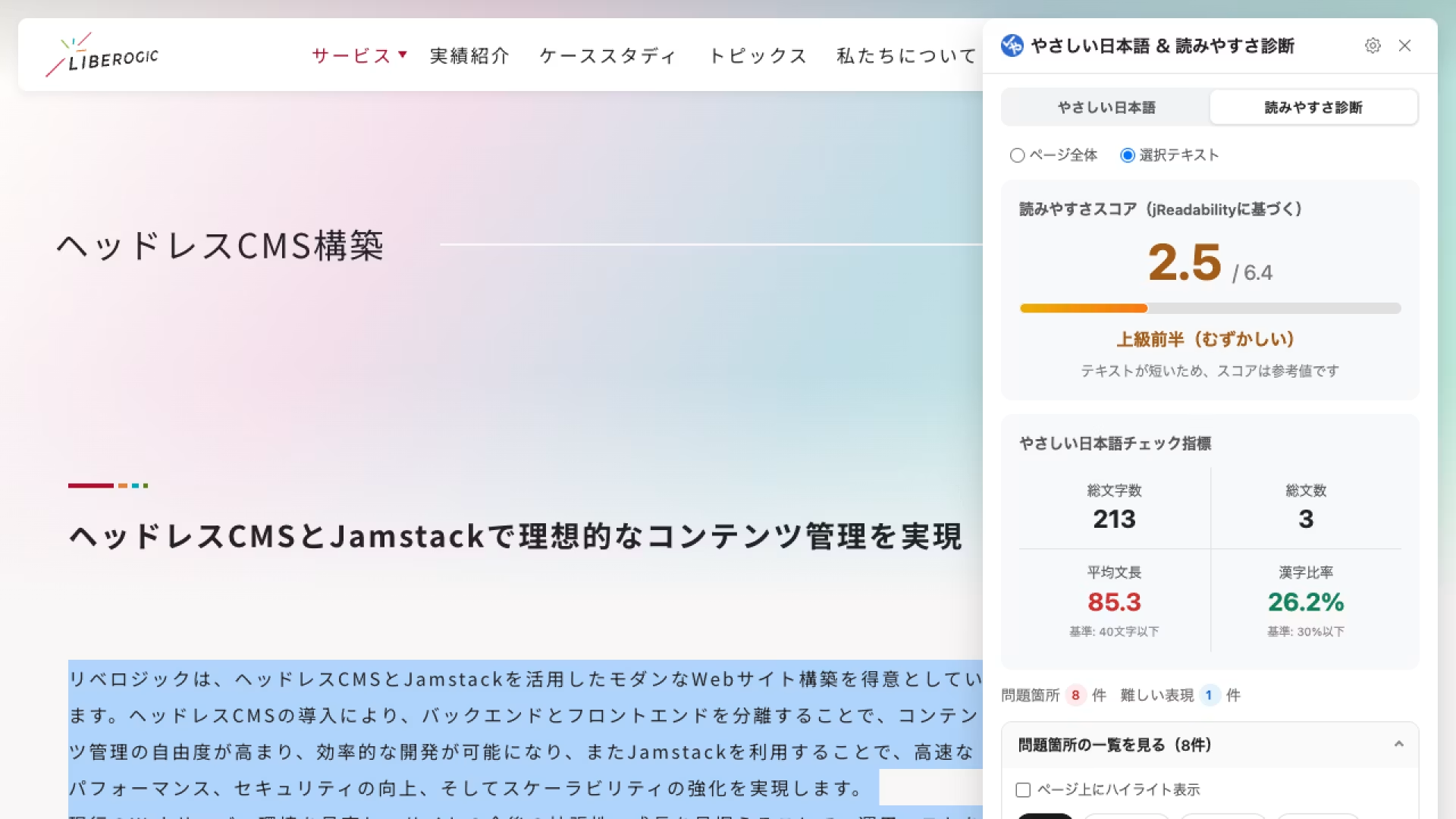
▪️Analysis of selected text
In addition to analyzing the entire page, you can also analyze only the portion you have selected.
Other features
▪️Completely free, no API key required
Because it uses on-device AI, there is no complicated setup and no token costs. Use it as much as you like.
▪️Fully offline, privacy you can count on
All analysis, including AI processing, is completed within your browser. You can confidently use it to check business and public documents.
▪️Flexible customization
Supports dark mode that follows your OS settings. You can also freely adjust furigana target levels, text size, window position, and more.
Before you use
The AI-powered rewriting and summarization features are available in environments where Google Chrome's on-device AI, "Gemini Nano," is enabled (availability may vary depending on device specifications and browser version).
Note that dictionary-based expression replacement, furigana annotation, and readability diagnosis can be used as-is without the AI features.
Download Easy Japanese & Readability Checker here
At Liberogic, we aim to make accessibility a baseline standard of quality rather than a special consideration.
Following our first release, "Area Contrast Checker," and our second, "A11y Navigation Auditor," which supported the technical and structural side of accessibility, this time we have expanded our focus to the readers on the other end and the writers who deliver the text.
It goes beyond "building it correctly" to make sure it is "communicated well." This tool gives shape to challenges we have repeatedly encountered in the field.
Making accessibility more approachable and easier to use. Our next tools are in the works, so stay tuned.


