
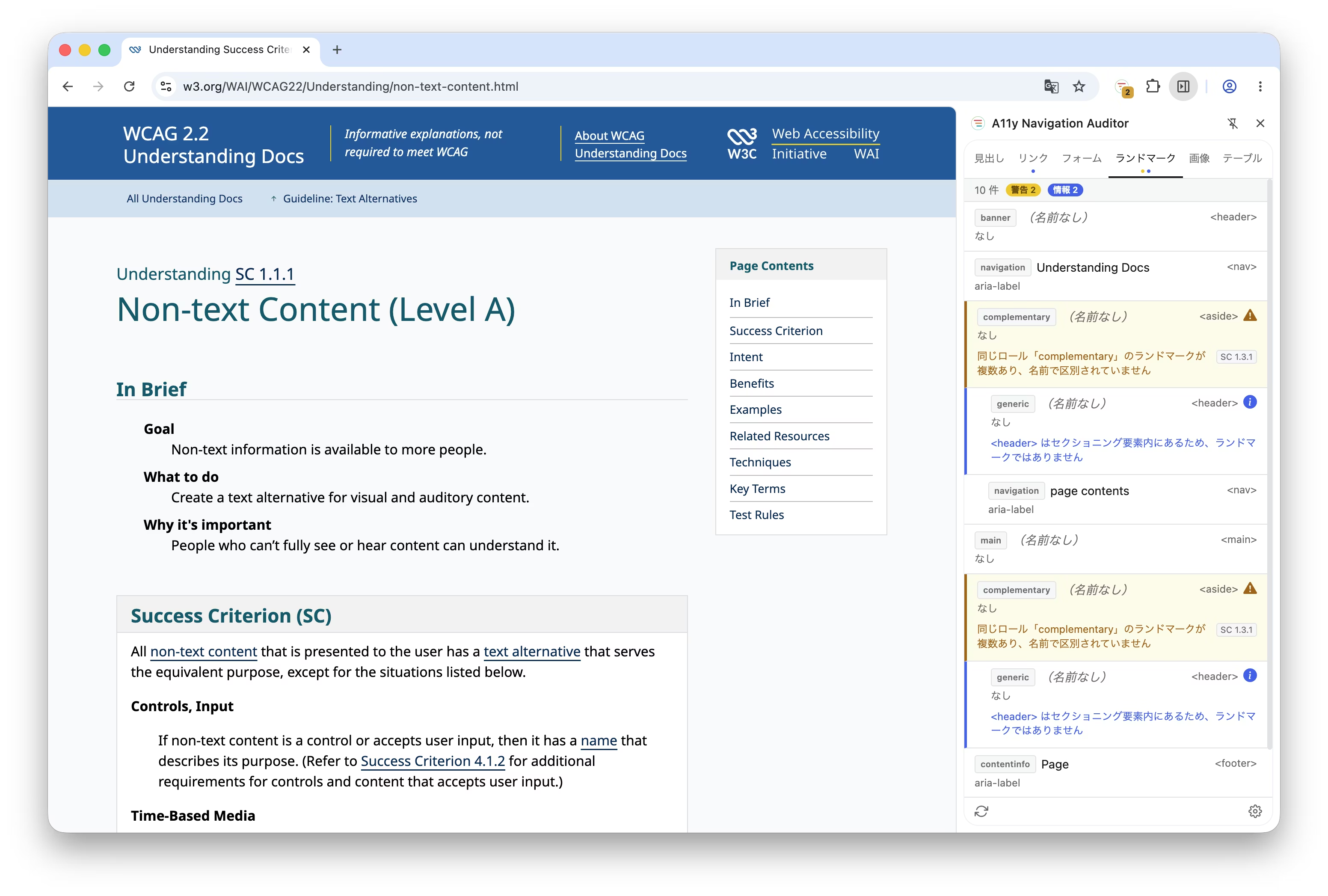
We have released A11y Navigation Auditor, a Chrome extension and the second web accessibility tool from Liberogic. It quickly and accurately visualizes the underlying structure of a website, helping you address easily overlooked issues with ease. Designed to support comprehensive structural review, it enables more reliable accessibility diagnostics.
Background of Development
There are many tools for diagnosing accessibility.
Tools that focus only on specific categories, such as headings or landmarks, do not give you the full picture.
Tools that overlay markers on the page show the overall picture, but they clutter the screen and get in the way of a high-level view.
We aimed to bridge this gap with a tool that provides a complete overview without cluttering the screen.
Our inspiration came from the element list feature of screen readers, such as the VoiceOver Rotor.
By visualizing this list in a side panel and adding problem detection, we created a developer tool that enables clear and advanced structural diagnostics.
Audit Targets and Detected Issues
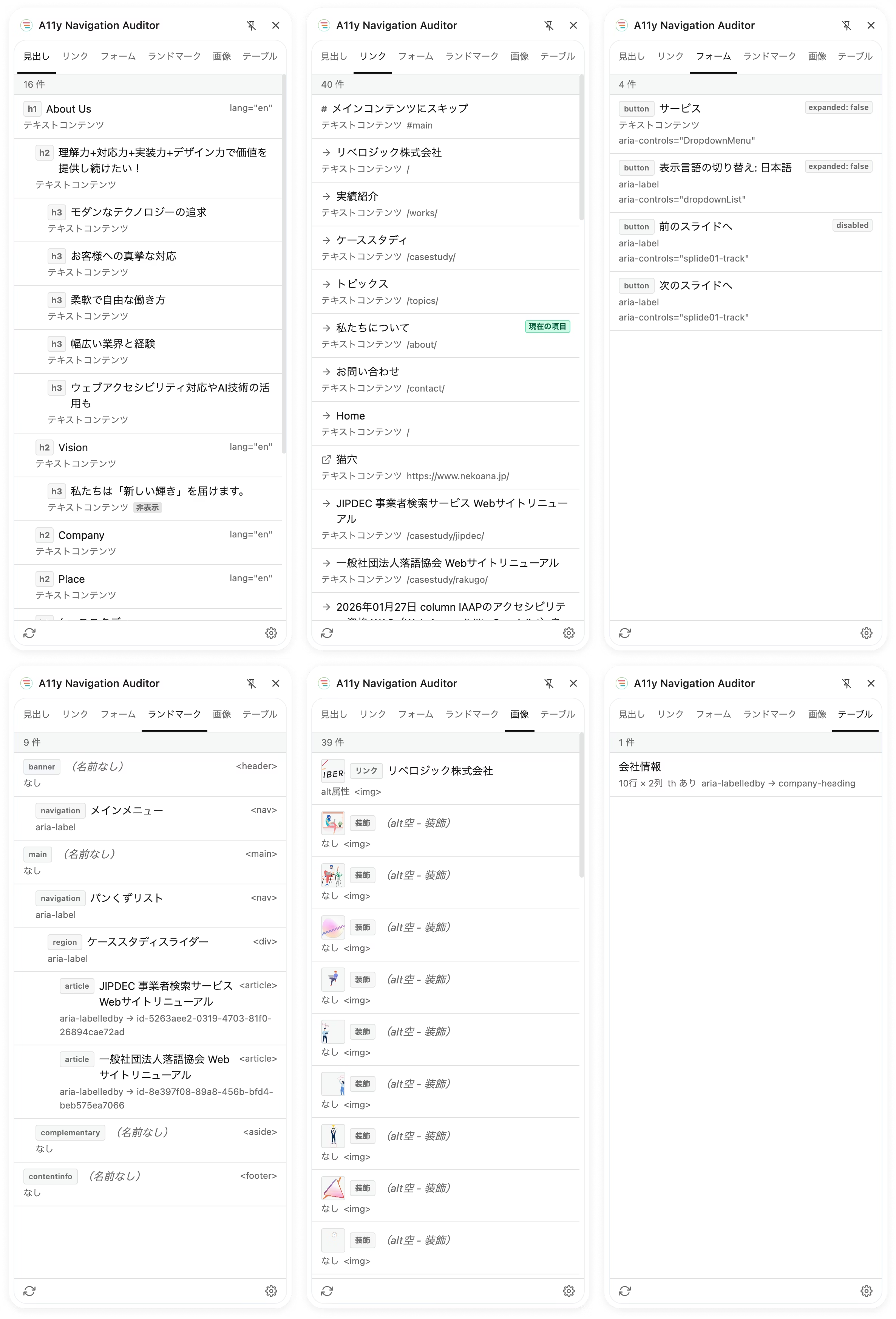
▪️ Headings:
level skips, empty headings, missing roles, and more
▪️ Links:
empty text, unclear wording, duplicate links, and more
▪️ Form controls:
missing labels, autocomplete attributes, error message associations, and more
▪️ Landmarks:
missing main, distinguishing duplicate roles, improper sectioning elements, and more
▪️Images:
Missing alt attributes, inappropriate alt text (such as "image"), use of file names
▪️Tables:
Missing captions or headers, incorrect scope/headers in complex structures
Key Features
▪️WCAG compliance issue detection:
References WCAG success criteria (1.1.1, 1.3.1, 2.4.4, 3.3.1, 4.1.2, etc.) and displays results in three levels: error, warning, and info.
▪️Computed accessible name display:
Based on the ARIA specification, visualizes the names screen readers actually announce and where they are derived from.
▪️Real-time ARIA state monitoring:
Automatically detects state changes such as aria-expanded and aria-invalid, as well as dynamic changes to accessible names caused by aria-label, so you can instantly see how accessibility changes with each interaction.
▪️Click to highlight:
Click any item in the panel to scroll to and highlight the corresponding element. Items can also be navigated with the arrow keys.
▪️Advanced features for professionals:
Toggle inspection of hidden elements,
automatic exclusion of third-party widgets,
bilingual support in Japanese and English
Download A11y Navigation Auditor here
At Liberogic, we aim to make accessibility a baseline standard of quality rather than a special consideration.
Following the first release, "Area Contrast Checker," this new "A11y Navigation Auditor" is another tool built around features we badly needed in our own day-to-day work. As the name suggests, "Navigation Auditor" reflects our goal of helping every user reach their destination without getting lost. That's the spirit behind it.
Making accessibility more approachable and easier to put into practice. More tools are in the works, so stay tuned.


