Headless CMS

Achieve ideal content management with headless CMS and Jamstack

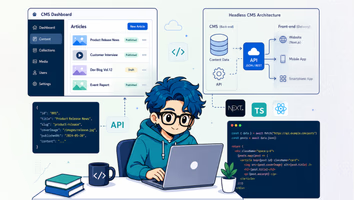
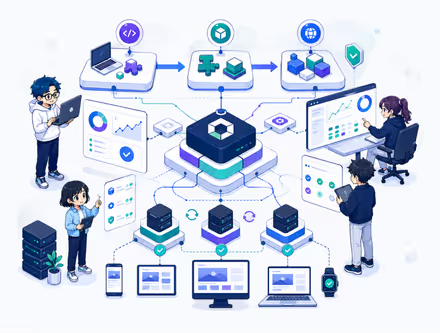
Liberogic specializes in modern web site construction leveraging headless CMS and Jamstack. By implementing a headless CMS, you can separate backend from frontend, increasing flexibility in content management and enabling efficient development. When combined with Jamstack, you achieve superior performance, enhanced security, and improved scalability.
By reassessing your current web server environment and planning for future expansion and growth, you can build faster, more secure sites while reducing operational costs.

The advantages of headless CMS

01Security

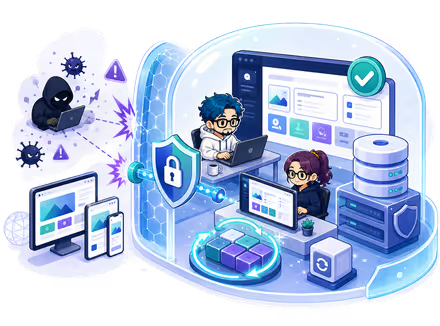
Traditional CMS platforms integrate frontend and backend, creating risk of data breaches extending to databases and admin interfaces when cyberattacks occur. In contrast, headless CMS completely separates frontend from backend, making it extremely difficult for attackers to access internal systems. Additionally, the platform itself automatically applies security updates and patches, significantly reducing the burden of security management.
This enables you to maintain high security while operating resources efficiently, creating a safer and more sustainable web environment.

  • Traditional CMS image
  • Headless CMS image

    02Multiple site management

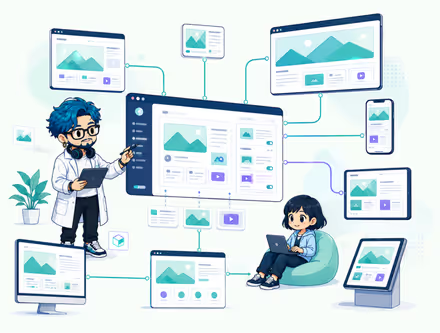
    To centrally manage multiple websites, you can standardize the admin interface and assign update permissions, enabling role-based access control for different team members. This allows each person to manage their responsibilities smoothly according to their role.
    Additionally, by integrating Application Programming Interface (API), you can display and update content across various devices and platforms—not just websites, but also applications and digital signage.
    This enables efficient content management and unified content distribution across multiple platforms.

    03Server environment setup and application management

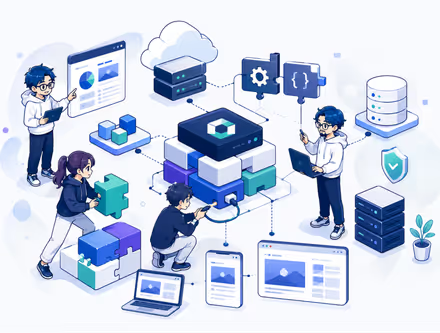
    Most headless CMS platforms are cloud-based and dependent on their provider's infrastructure, eliminating the need to build and maintain your own servers. This significantly reduces the burden of infrastructure management.
    Further, in cloud environments resources scale automatically, eliminating the need for manual server management based on traffic fluctuations while ensuring system stability.
    Initial setup and environment configuration are straightforward and can be deployed in a short timeframe, allowing you to focus on content management and application development without being bogged down by infrastructure setup and maintenance.

    • Traditional server environment image
    • Cloud environment image

      04Page Display Speed Advantages

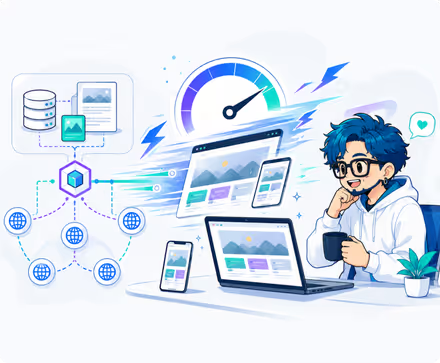
      Building with a headless CMS offers significant benefits, including improved page display speed.

      1. API-based content delivery — A headless CMS delivers content via API, separating backend and frontend. This keeps the frontend lightweight and enables fast content display.
      2. Optimal rendering methods — A headless CMS offers flexible choice of rendering approaches: Static Site Generation (SSG), Incremental Static Regeneration (ISR), Server-Side Rendering (SSR), and more. This lets you adopt the best method for your site's characteristics and needs, enabling fast page display and efficient content delivery.
      3. Caching and CDN integration — A headless CMS integrates easily with caching and Content Delivery Networks (CDN), reducing display latency and significantly improving content load speed.
      4. Enhanced frontend performance — Without the need to spend time on server and backend processing, you can focus entirely on frontend performance optimization and efficient resource loading.
        This results in improved user experience.

      With WordPress, for example, dynamic generation can lead to excessive plugin use, complex theme design, and increased database load. Combined with limited hosting resources or insufficient caching features, page load times tend to lengthen. While WordPress is easy to implement, it often leaves speed concerns unresolved.

      Headless CMS Implementation Process

      • 1
        Consultation

        We conduct detailed consultations to understand your website's current configuration, the type of applications you use, and relevant programs.

      • 2
        Assessment and diagnosis

        We analyze and assess your current architecture and how well your application aligns with a headless CMS approach.

      • 3
        Proposal and design

        We design and propose the best solution to address your challenges.

      • 4
        Development

        We develop your website.

      • 5
        Implementation and testing

        After completing the test flow, we proceed to launch.

      • 6
        Ongoing support

        We also support you with operational matters.

        Reliable team structure and responsive project management are our strengths

        At Liberogic, our experienced staff actively drive projects forward, earning high praise from clients.
        We carefully assign project managers and directors to ensure smooth project execution across all phases. We prevent unnecessary cost increases from over-commitment by deploying resources strategically, and we're known for speed in project understanding, estimation, and delivery.

        * Please note that we do not actively pursue on-site SES-style staffing arrangements.

        You can use virtually all major project management and chat tools, including Slack, Teams, Redmine, Backlog, Asana, Jira, Notion, Google Workspace, Zoom, Webex, and more.

        Are you losing out with overcomplicated infrastructure and security measures? Concerned about WordPress security?

        Case Studies