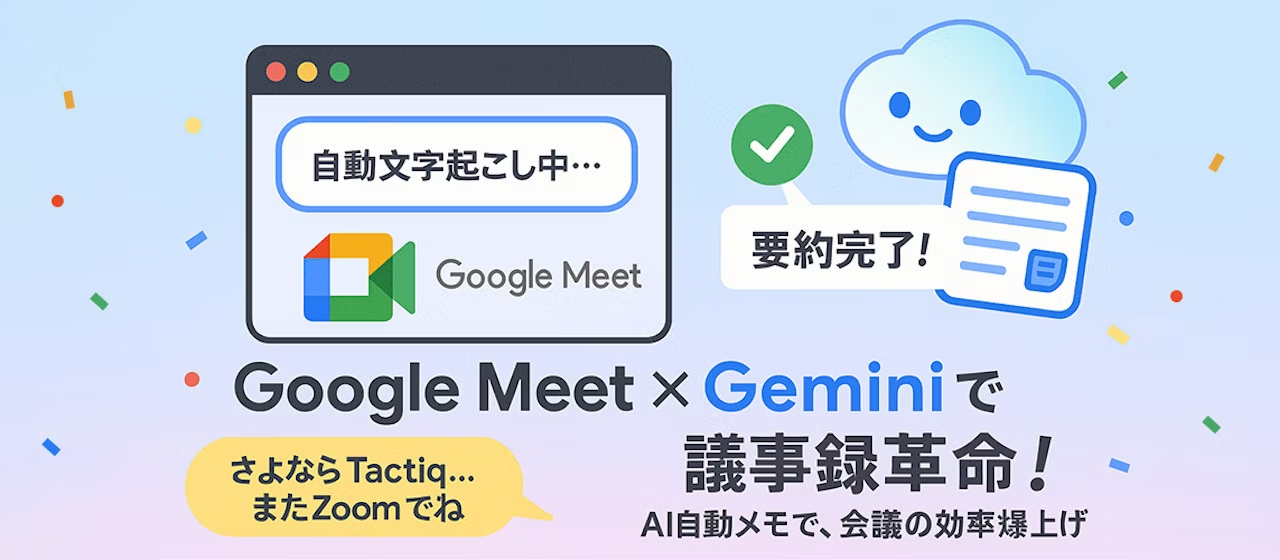
It's been two months since we posted an article introducing meeting minute tools. This time, we're bringing you the second installment in our series on AI-powered meeting minute creation tools.
To be honest, I didn't expect we'd switch tools so quickly after publishing that article just a few months ago. The evolution of AI tools is truly remarkable!
The "Tactiq" tool we introduced previously is a transcription tool that uses OpenAI and is available as a Chrome extension. It's an innovative tool that supports meeting minute creation through AI summarization, task management, and more.
We've covered more details about it in this article.
https://www.liberogic.jp/topics/20250127-tactiq/
Just as we were gearing up for a long-term relationship with Tactiq and had signed up for a paid plan, Google Meet's automatic transcription feature added support for Japanese. When we tried it out, we were impressed—not only did it deliver transcription accuracy beyond our expectations, but it also came with an automatic summarization feature, making it seem quite capable.
Since our company primarily uses Google Workspace, the integration is seamless. Rather than paying separately for "Tactiq," it made sense for us to use this feature instead, which is why we made the switch.
Benefits of Google Meet's Automatic Notes
- No complicated setup required—just one click and you're ready to go
Typically, when implementing a tool, you need to enable features from the settings screen before the meeting. You may have experienced forgetting to set this up and finding the feature wasn't enabled when you actually tried to use it.With Google Meet's automatic notes, no advance setup is necessary.The moment you open Google Meet, you can use it whenever you need to. - High-accuracy transcription
By converting conversations directly into text, you can review how conclusions were reached. When humans create meeting notes for sessions longer than an hour, accuracy inevitably varies. However, AI-powered automatic notes maintain high precision throughout the entire recording.
(Occasionally there may be typos, but we'll consider that part of its charm.) - Summaries aligned with timestamps
Automatic note-taking transcribes conversations, but summaries are essential for using them as meeting minutes. However, condensing an hour-long meeting into just a few lines makes it difficult to understand the content. This automatic note feature reads the transcribed text and generates appropriate summaries by timestamp and section. - Decodes specialized terminology
For specialized terms that frequently appear during meetings, it understands the meaning and naturally complements and summarizes them in coherent text.
How to use
- Start a meeting in Google Meet.
- Click the icon in the top right corner of the screen, check "Also transcribe the meeting," and click the "Start creating notes" button.
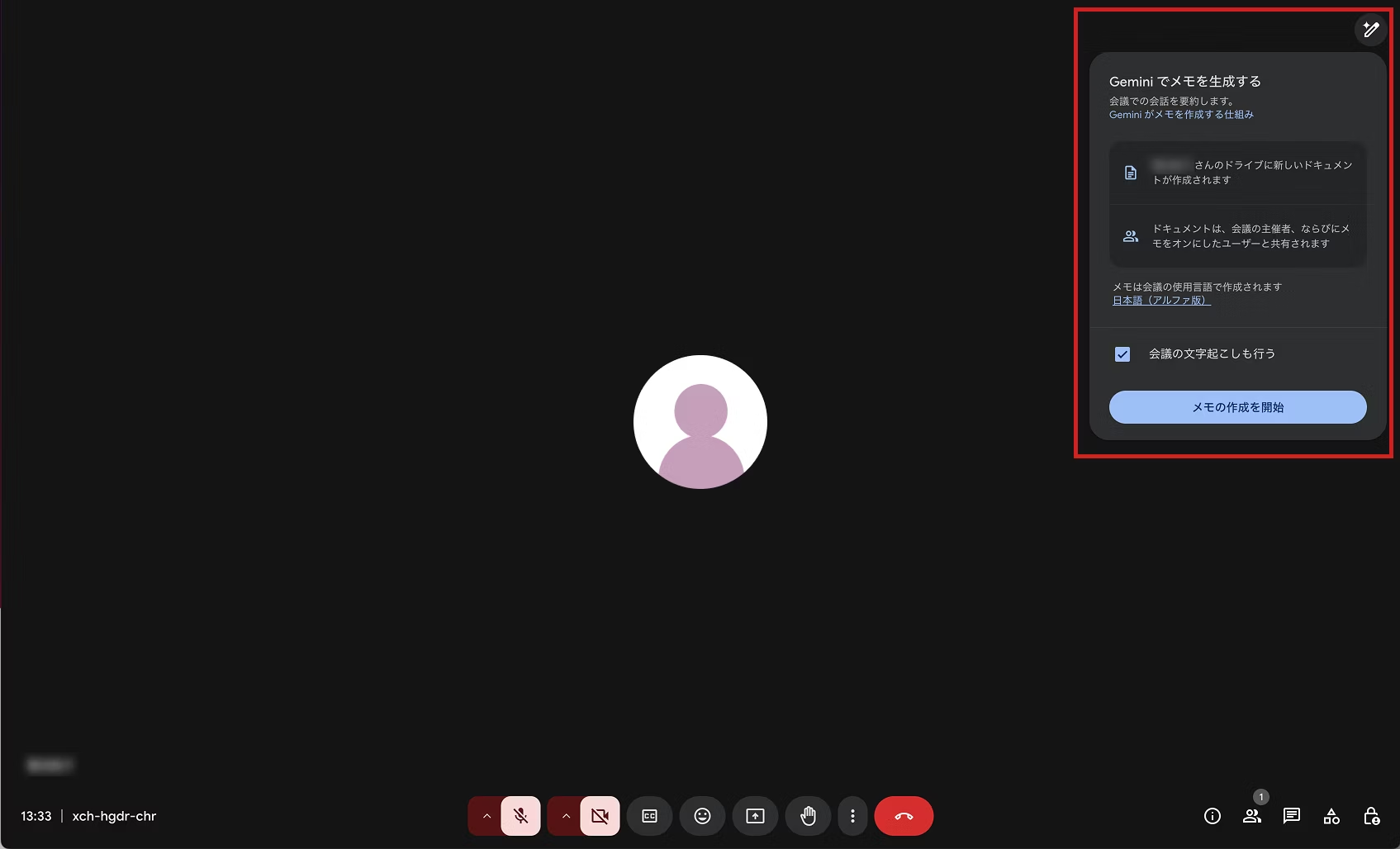
That's it! No special configuration needed—it's genuinely simple to use.
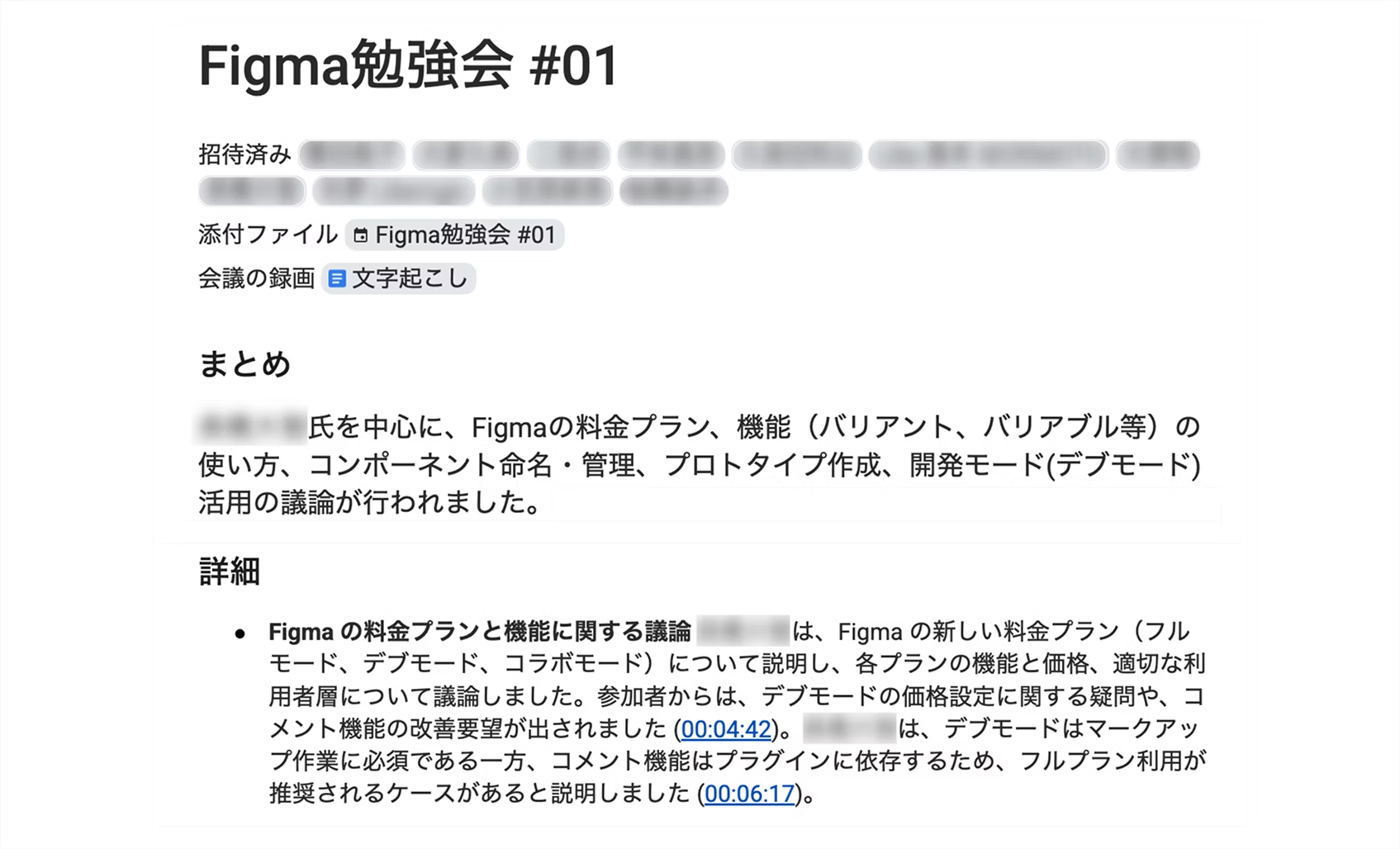
The screen while automatic notes are running looks almost identical to before, so you won't experience "the transcription is making the screen hard to see!" or "I can't focus on the meeting!" When the meeting ends, just exit as usual. Gemini will then output the meeting notes in a Google Doc for you.
In Closing
In this article, we introduced Google Meet's automatic note-taking feature powered by Gemini. It comes with standard features like summary generation needed for meeting minutes, and transcription latency is minimal—a truly capable tool. If you're using Google Workspace, there's no reason not to take advantage of it! Give it a try. Note: This feature is available only to users on certain plans. Please check the official documentation for details.
Our former partner Tactiq will continue to support us during meetings on Zoom, Teams, and WebEx.



A self-made director since joining as a new graduate, currently thriving in my role! I'm pursuing the goal of becoming a multi-talented professional who can master every field, from design to ad operations. At work, I aim for smart direction, while in my private life I enjoy a reclusive fortress of a home. I happen to like anime.
Handa
Web Director / Joined 2022