
This happened more than two years ago, but since we've now renewed our website, we thought we'd share the project management tool we built for ourselves!
Its name is Liberozee 👴
We developed and operate it in-house by leveraging the APIs of the communication tools we use.
*I don't quite remember whether we named it Liberozee simply because we're Liberogic.
First of all, there are countless well-built applications for attendance and work hour management. It's a red ocean. Among them, I'd highly recommend the comprehensive labor management application SmartHR.
It has no connection to us whatsoever, nor is it because a client's contact person who looked after us moved to the company.
SmartHR is truly impressive. For companies with 30 employees or fewer, it's nearly free and offers almost every feature you could want. It's so generous, especially for startups and small companies like ours, that it's almost embarrassing. Highly recommended!
https://smarthr.jp/
But, well... As a lazy small company, we prefer to consolidate the bare minimum features we need into the chat tool we already use.
So we asked our CTO to build a simple, lightweight tool...
"Pretty boring, isn't it?"
was the response we got, brushed off with ease.
Halfway giving up on the idea, a few weeks later,
somehow, a fun work management tool was born that met all the requirements and then some.✌️
At Liberogic, our super concierge, Liberozee 👴, is an incredibly capable old gentleman.
We use Slack as our communication tool (though Microsoft Teams has been gaining ground lately 😢 Good luck, Salesforce!). When we arrive at the office, the first step is to type the command "start" in the relevant channel, Liberozee.
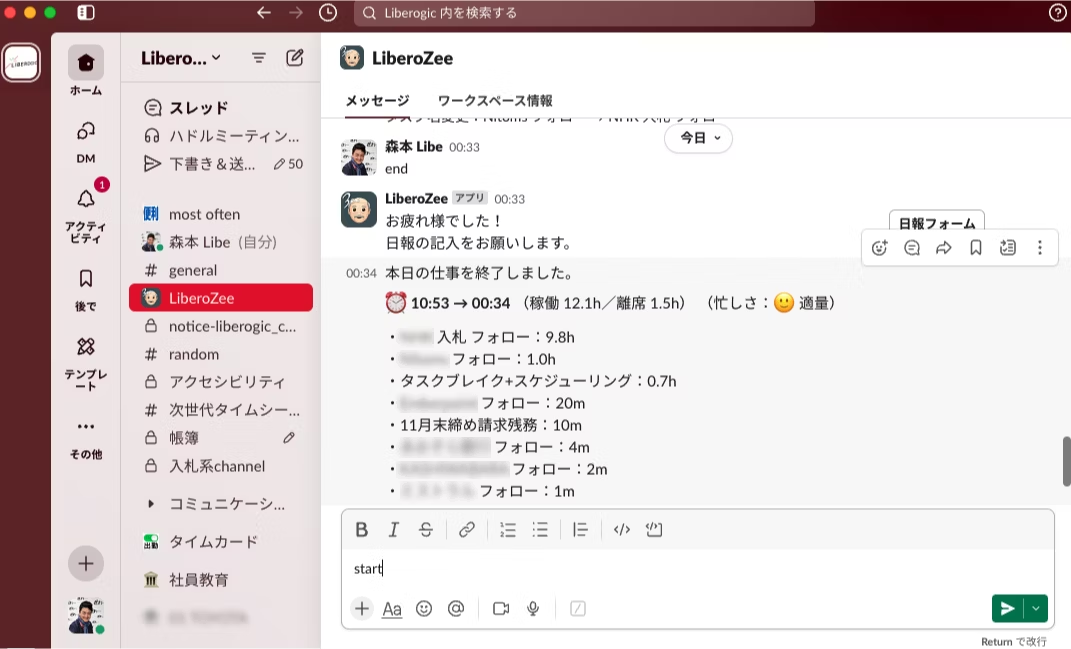
Then, just like that, our Google Calendar events are displayed and the workday begins.
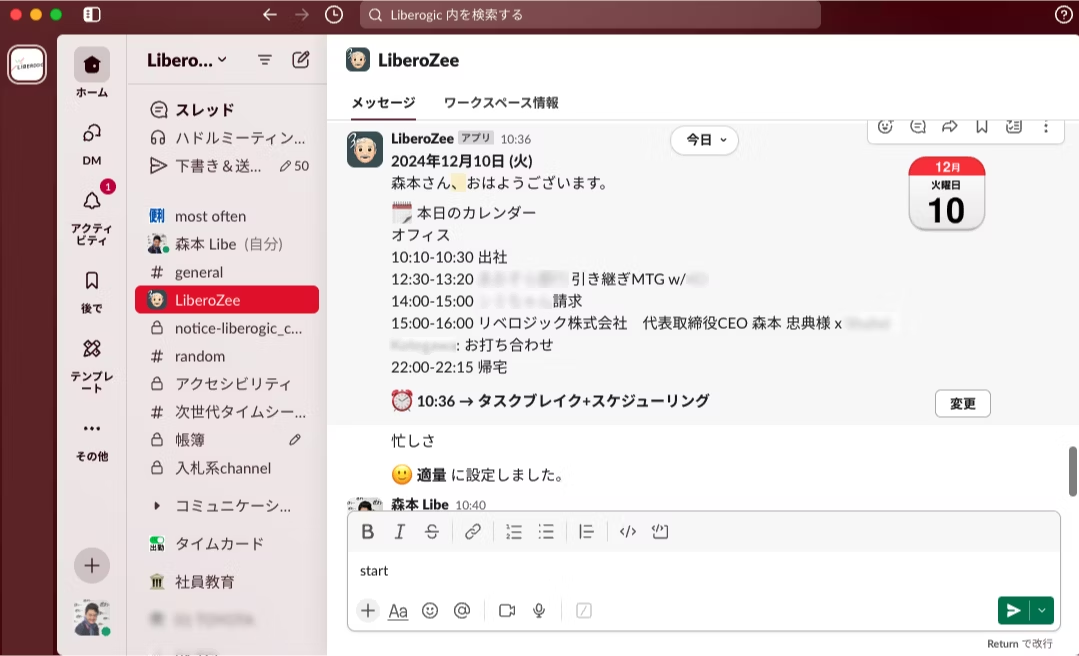
To check the tasks we need to do, let's type "task Task Break" and see what happens.
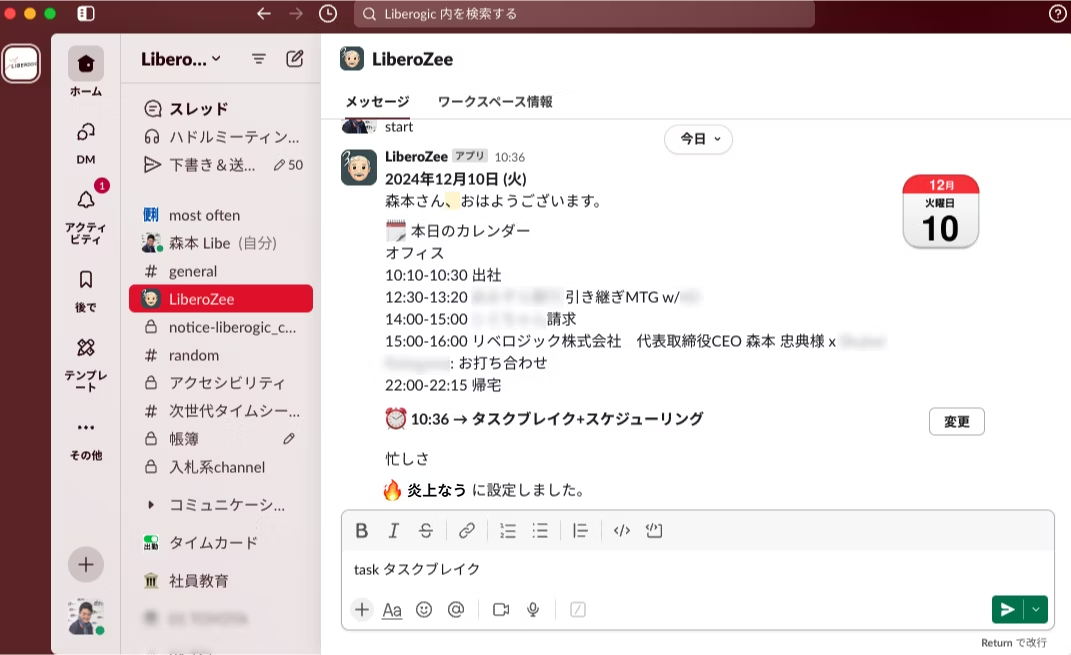
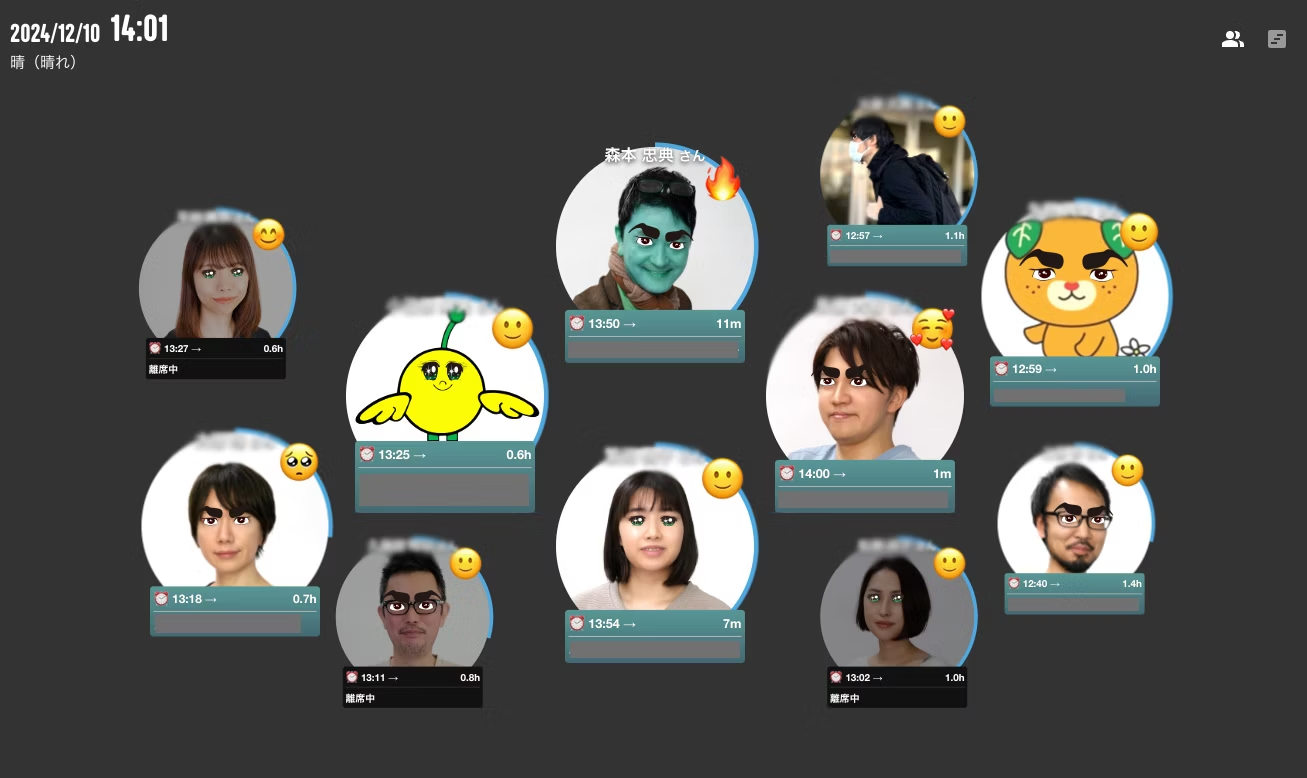
Then, as work begins, the dedicated screen appears like this. It can even express your mindset, such as when you're busy or when you have free time (you can help with other people's work!).
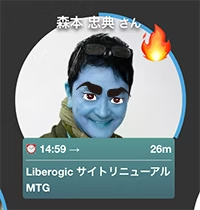

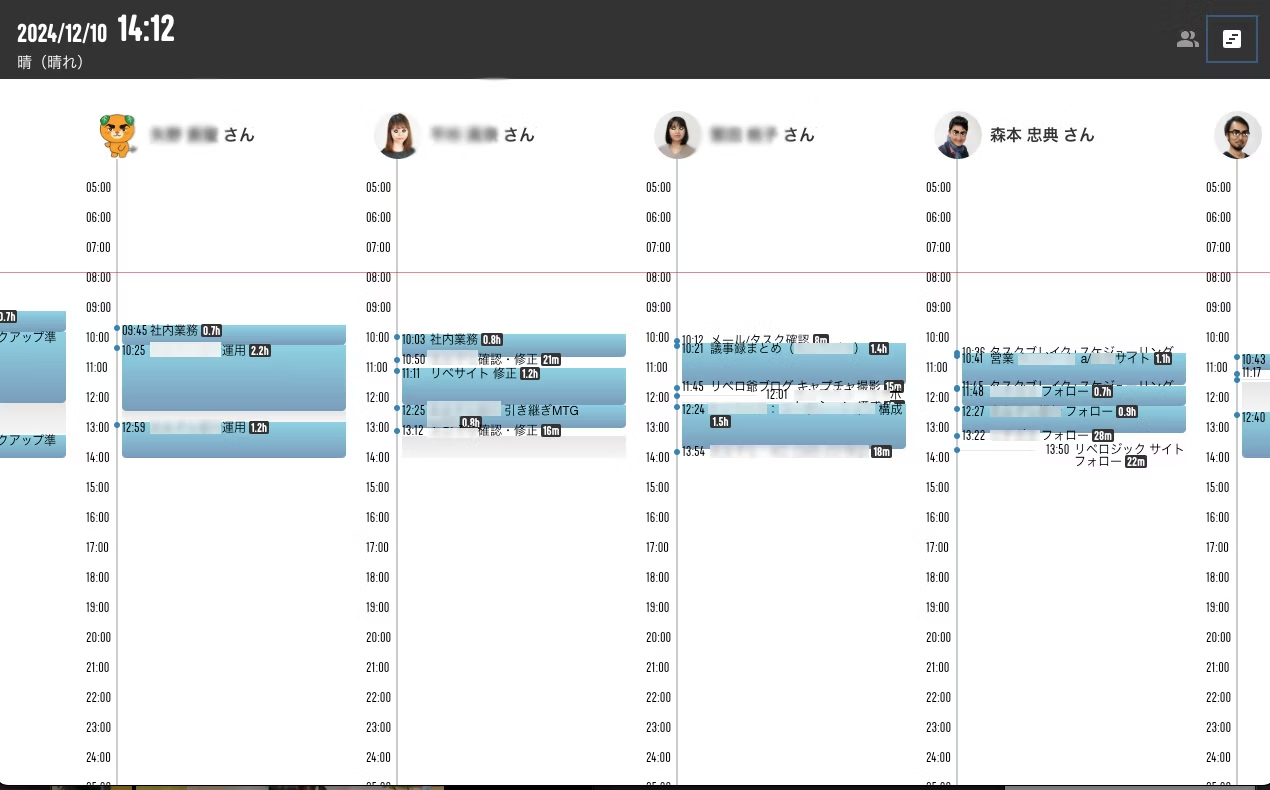
When it's time to move on to the next job, type a command like the "task Liberogic Site Follow-up" from earlier, and your current work will switch over. It's truly real-time chat attendance management!ー
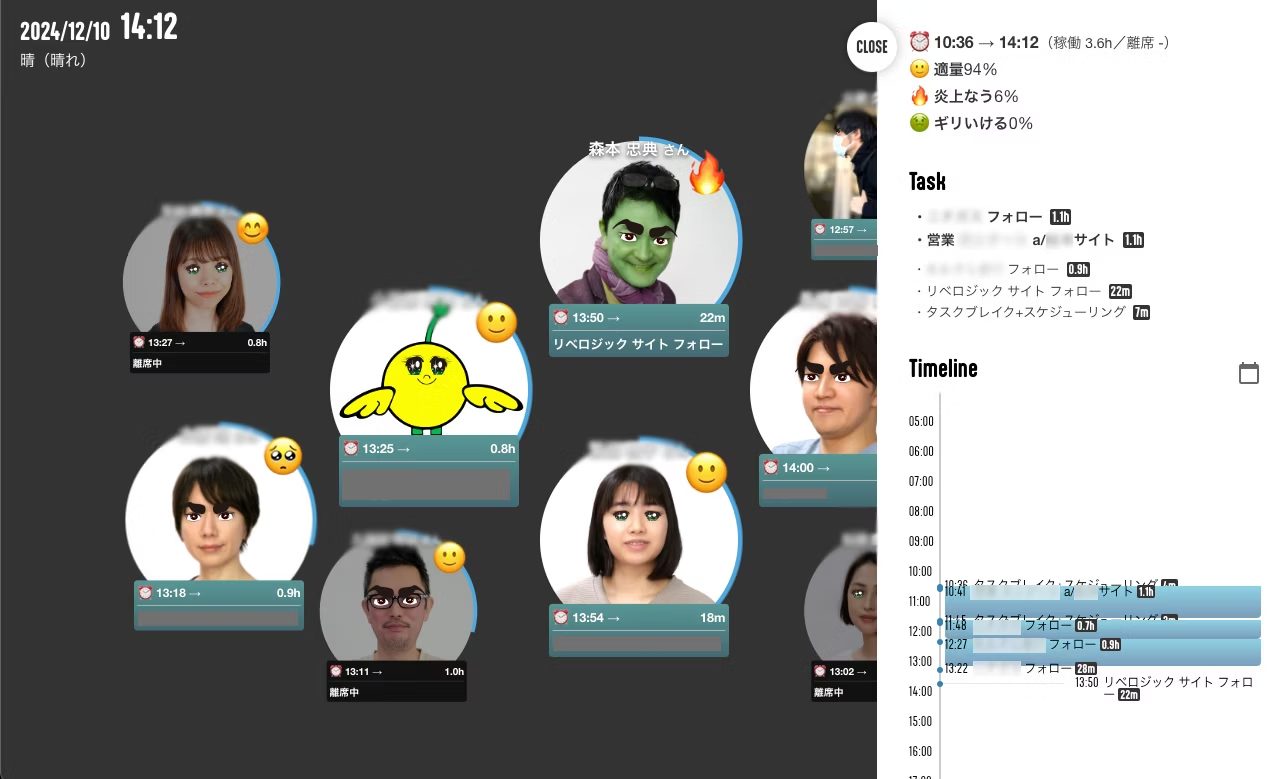
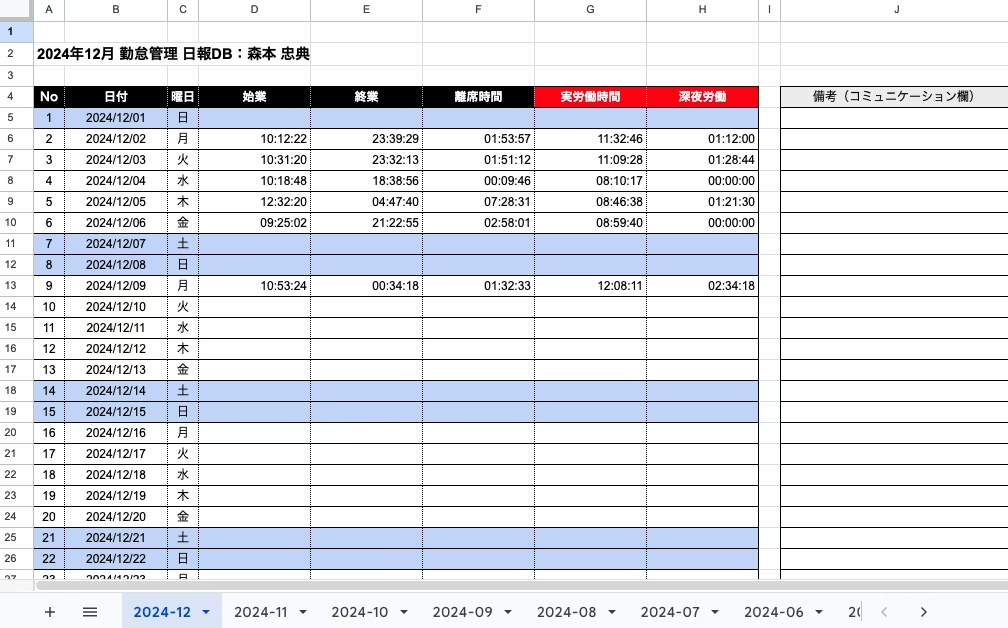
Behind the scenes, Google's Firebase quietly keeps records, so each person's work status is plotted in a spreadsheet like this. It's also perfect for the documents submitted to the Labor Standards Inspection Office!
And when you clock out, type "end" and the daily report screen appears! Now, let's write that daily report!
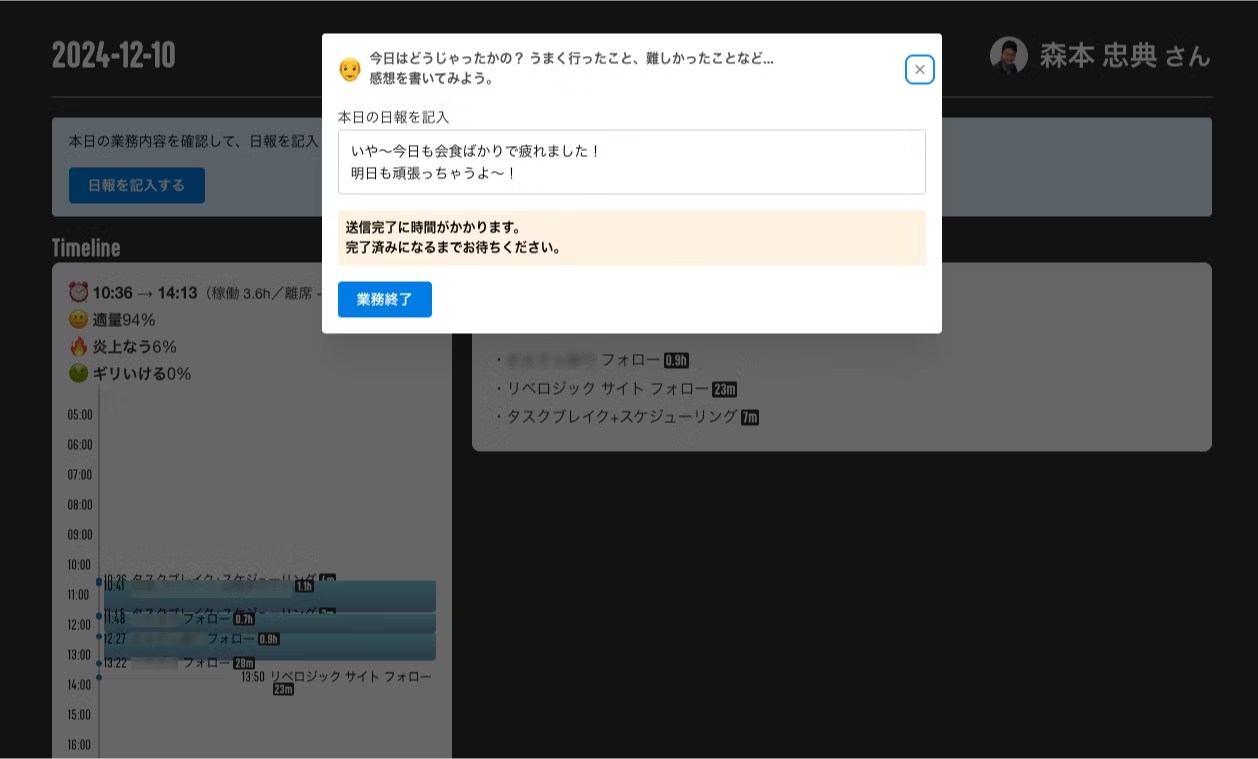
Our company has super flexible hours (please, everyone, read the work regulations... we're not a black company, so we can't just file a Section 36 agreement...). Because we work across flexible time slots, the company-wide close of operations begins at 5 a.m.
And here comes generative AI (OpenAI API).
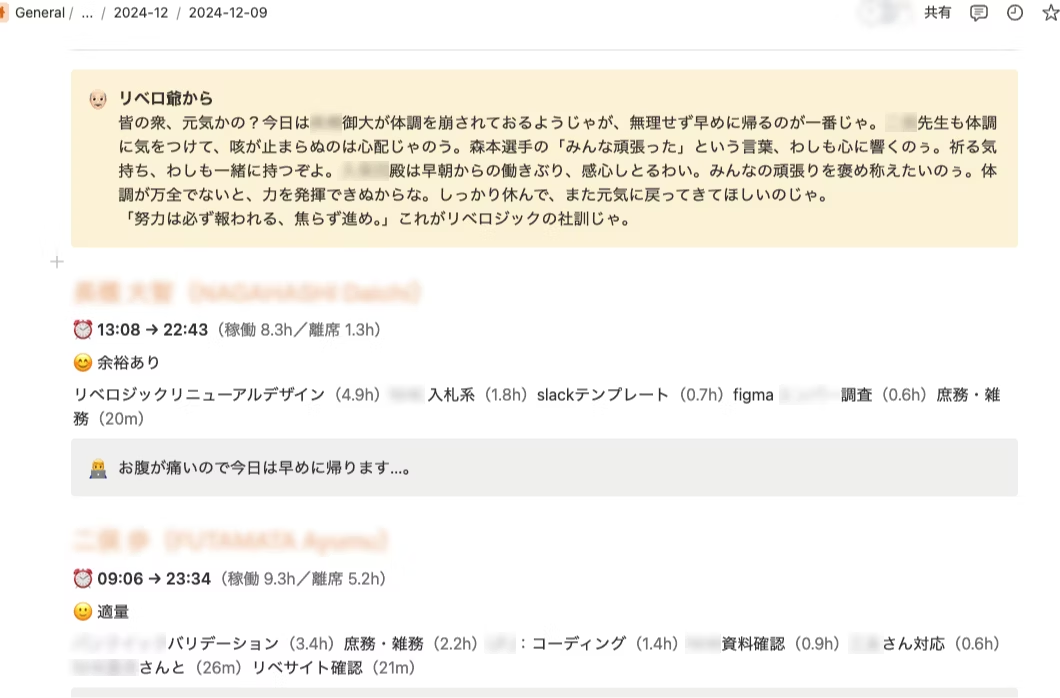
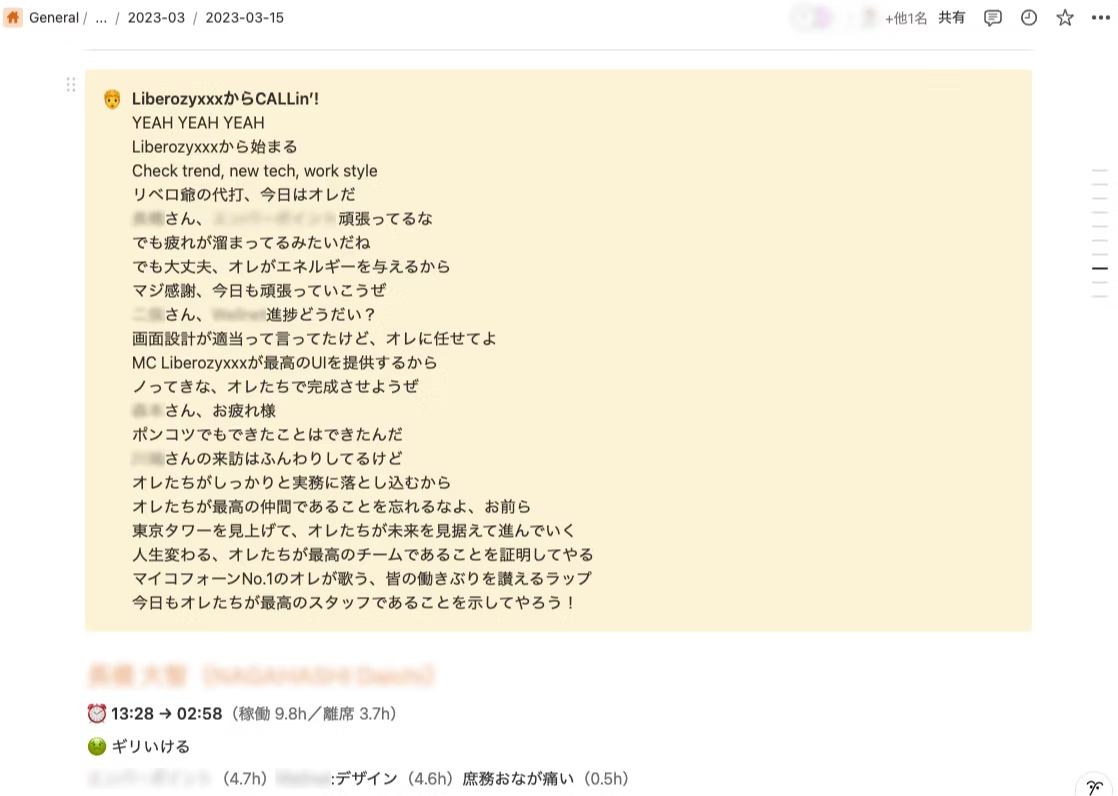
On the daily reports everyone has written (Notion), our concierge Liberozee cheers on everyone's results like this.
After running the app for a while, it seems the grandpa characters were getting a bit repetitive.
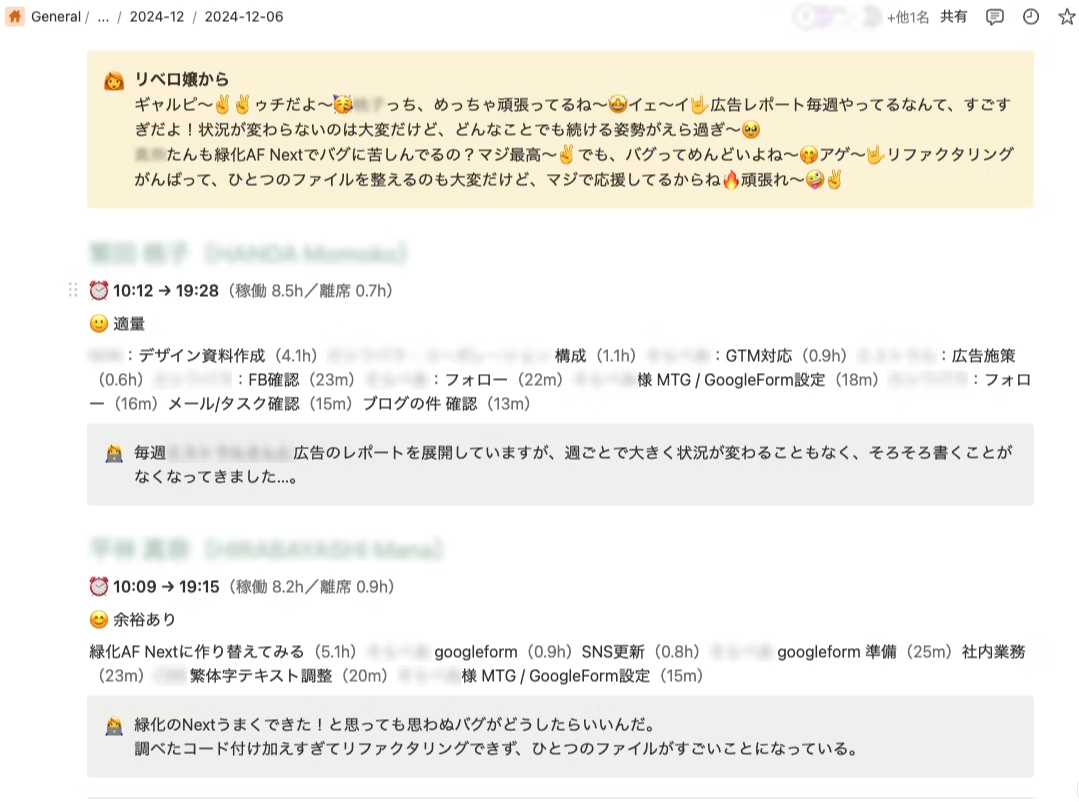
Every Friday, Liberozee's granddaughter, Liberozee-chan, makes her appearance.
She's started cheering us on in gal slang, so our weekends have gotten a lot more fun!
And before we knew it, Liberozee-chan's boyfriend showed up too. He cheers us on in a "Chekilatcho" style of speaking, but honestly, I'm not quite sure what's going on anymore lol
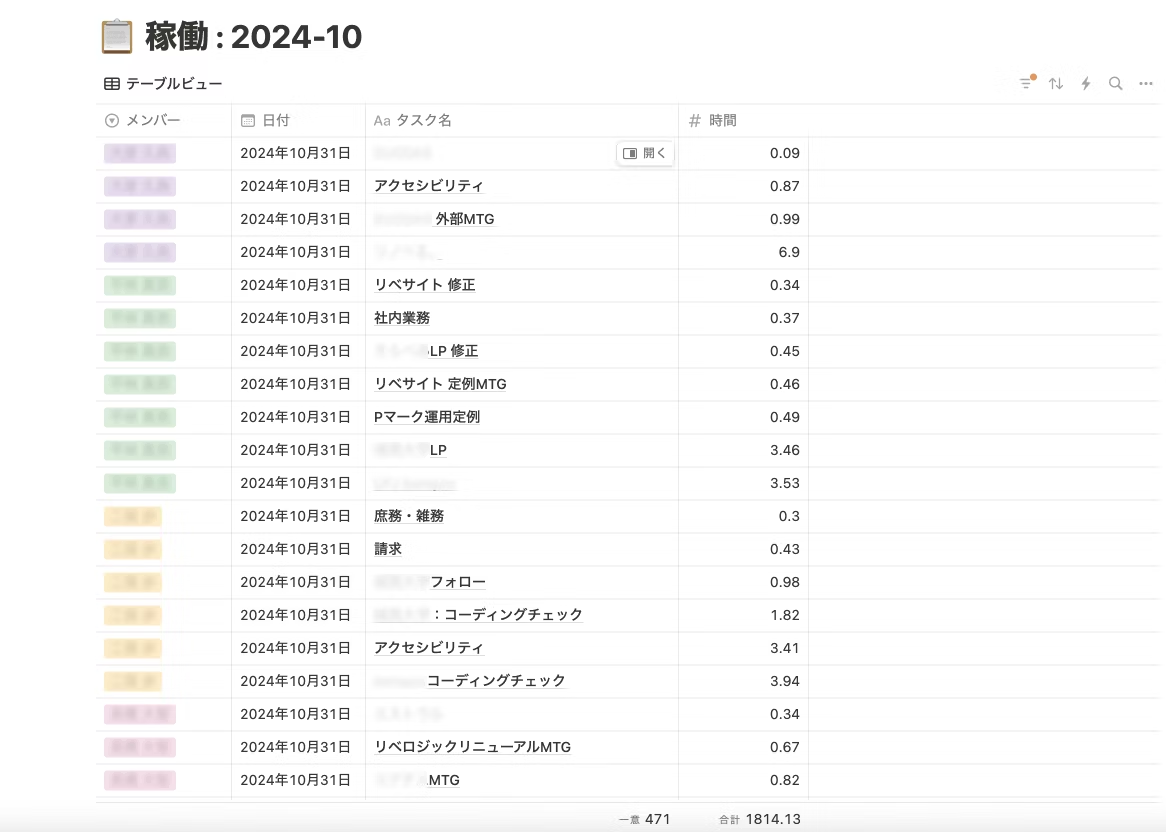
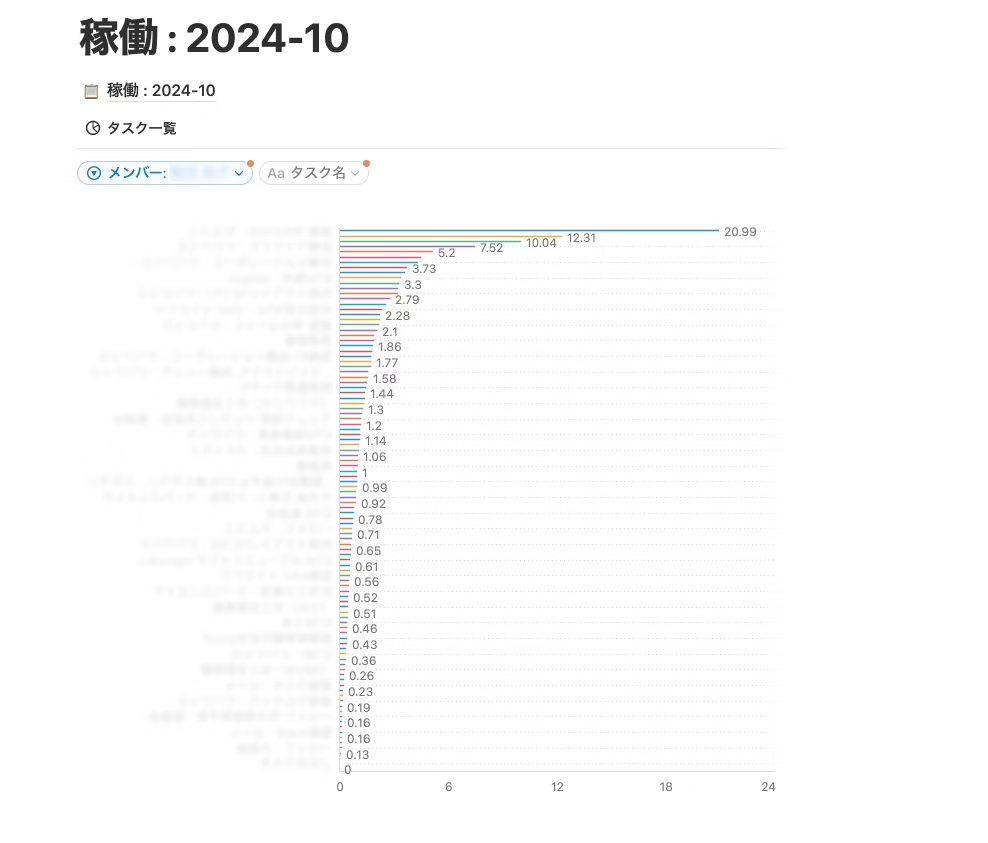
Well, it may just look like we're goofing around, but this layout lets everyone see the lead times for all their tasks and what each staff member is working on at a glance, which is pretty handy! (And this is the chart feature in Viva Notion, which we just started using!)
With more quasi-contract (準委任) work on the rise, it's also easy to compare estimated lead times with actual lead times!
How was that? We really are living in great times!
Technology keeps getting more and more fascinating! It's sad to see legacy programming work fade away, but it's much more exciting to watch all kinds of technologies and services keep advancing.
Moore's Law? The Singularity? Paradigm shifts? Setting all that aside, we will always keep up with the latest developments and keep pursuing convenience.
That was about the tools our company uses, but
- Our chat tool is Teams. Do you think that would work?
- We'd like to run this on Google Workspace. Do you think that would work?
- Could this also be done with Chatwork?
Honestly, we can do just about anything!
Thanks to the growth of agencies and service companies like yours, frontend implementation has become the mainstream, which we're happy about.
Are you looking for feasibility checks and convenience, plus a touch of fun to grab attention? If your company needs consulting like this, please reach out to Liberogic.
If you'd like to see it in action, let us know and we'll be happy to show you!



Though I'm the president, I'm always a hands-on counterpart. I take joy in understanding new technologies and in those moments when something becomes more convenient, and I love being completely absorbed in the work on the ground. I get excited about future technologies and want to keep enjoying new experiences no matter how old I get.
Tadanori Morimoto
Project Manager / Director / Founded 2007