

It's been a while, but in my last article, I wrote about building a movie watchlist app together with Claude.
Since then, I've become hooked on app development with AI, and after continuing to fine-tune apps with Claude, the company-issued account quickly hit its usage limit.
I worried this could start affecting my actual work, so I decided to subscribe to a paid plan on my own.
"This time, I'll build something useful for work."
That was my resolve as I brainstormed ideas, but what I ended up building was, once again, an app that had nothing to do with work.
Background
The subject this time is a small problem faced by an architectural design firm run by a relative.
When construction is complete and a property is handed over to the client, they reportedly create the handover report in a spreadsheet.
The report template is fixed, and its contents consist only of text and photos.
Because the input is so simple, the spreadsheet's many features can actually become a hindrance. I've heard that even creating a single report can take quite a while for people who aren't used to operating it.
What they want to do is simple, yet the tool has become so feature-heavy that it's actually making things harder. This is exactly where a dedicated app comes in.
The problem isn't that there's too little, it's that there's too much
When we think of frustration with tools, we usually imagine wanting more, as in "I wish it had this feature." This time, we take the opposite approach: subtraction. The tool has so many features that it's actually harder to use.
AI-driven development is a great fit for situations like this as well.
Removing features from an off-the-shelf product packed with functionality is difficult. Building something from scratch with only what you need, however, is actually quite easy.
We listed the features needed for the task, described what we wanted to Claude as usual, and this app was the result.
1. Document list
When you open the app, a list of previously created reports appears first. From here, you can choose to create a new document or edit an existing one.
To create a new document, click the button in the upper right corner of the screen. To edit an existing document, click the relevant document in the list.
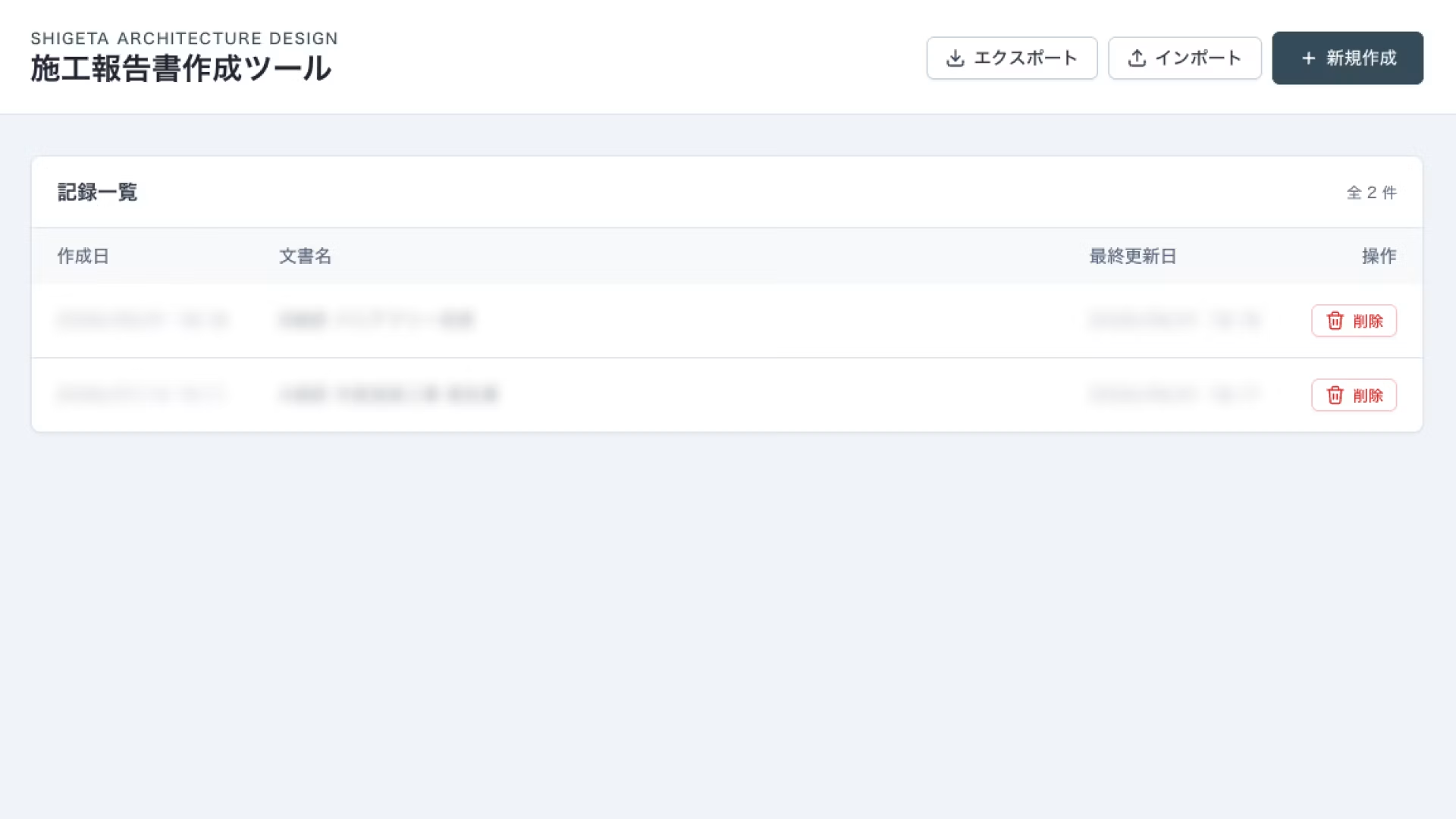
2. Document creation, simplified to the essentials
Document templates are prepared in advance, so work starts with one of each template already created. This eliminates the wasted effort of manually creating and duplicating templates.
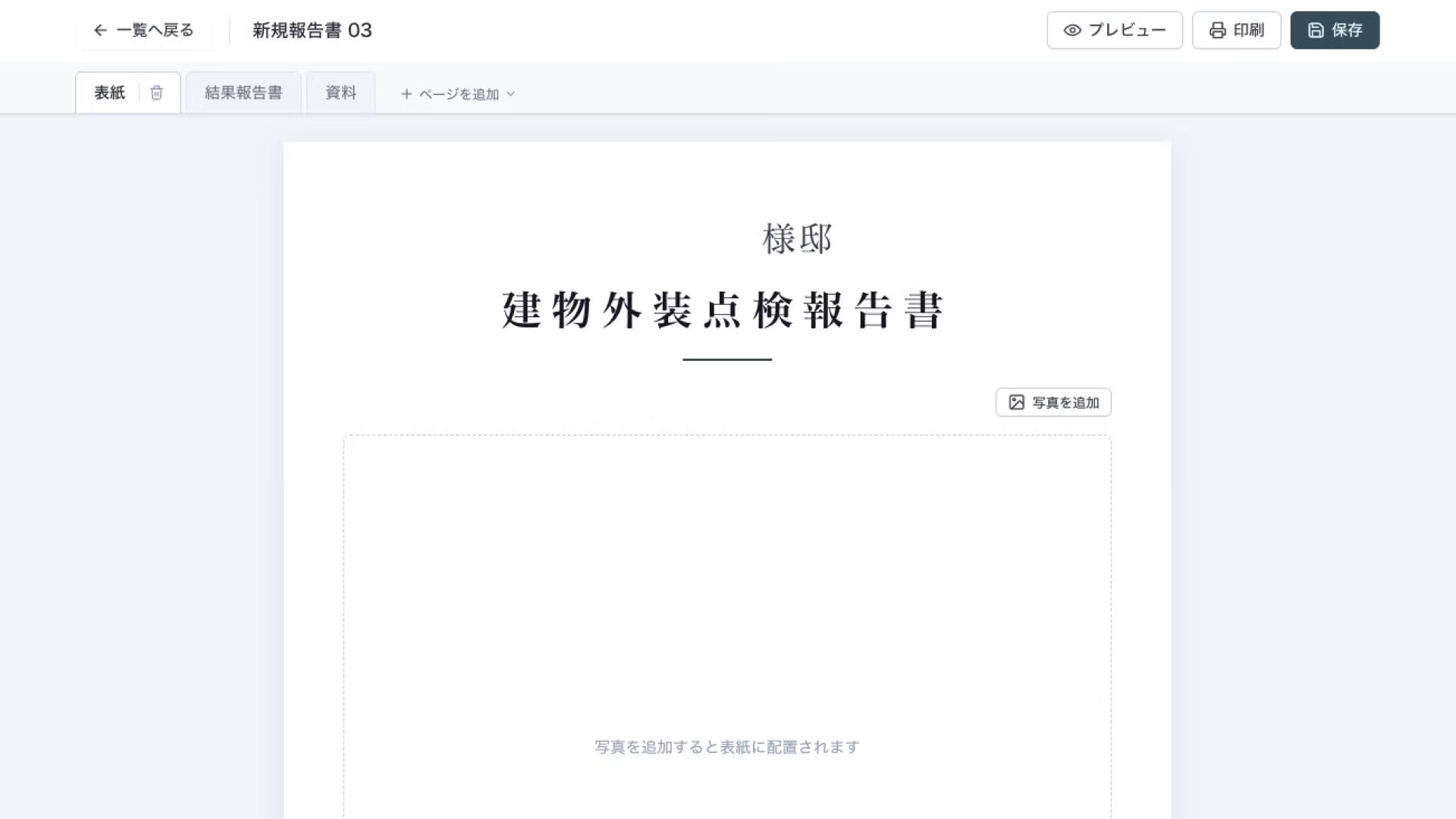
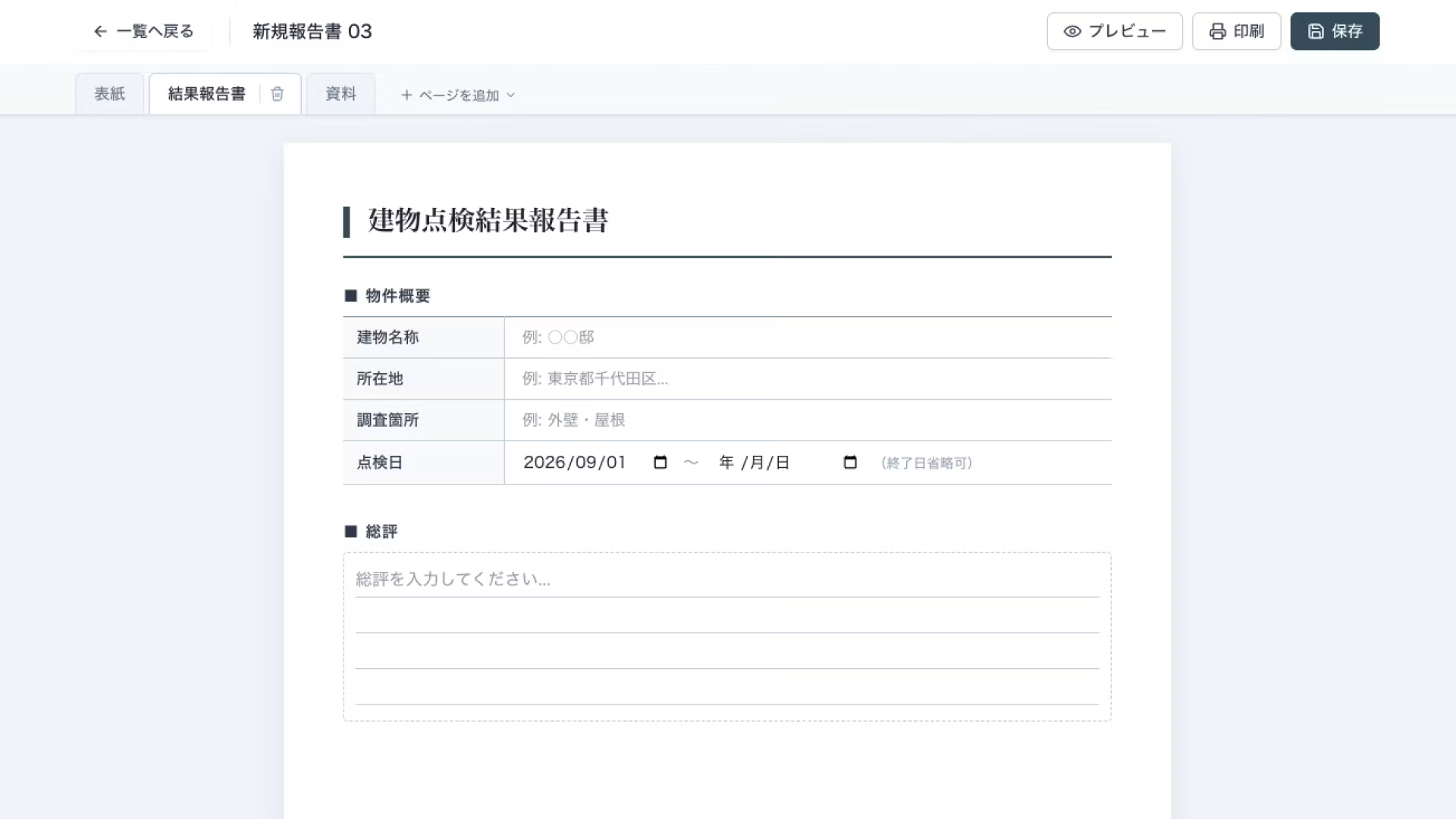
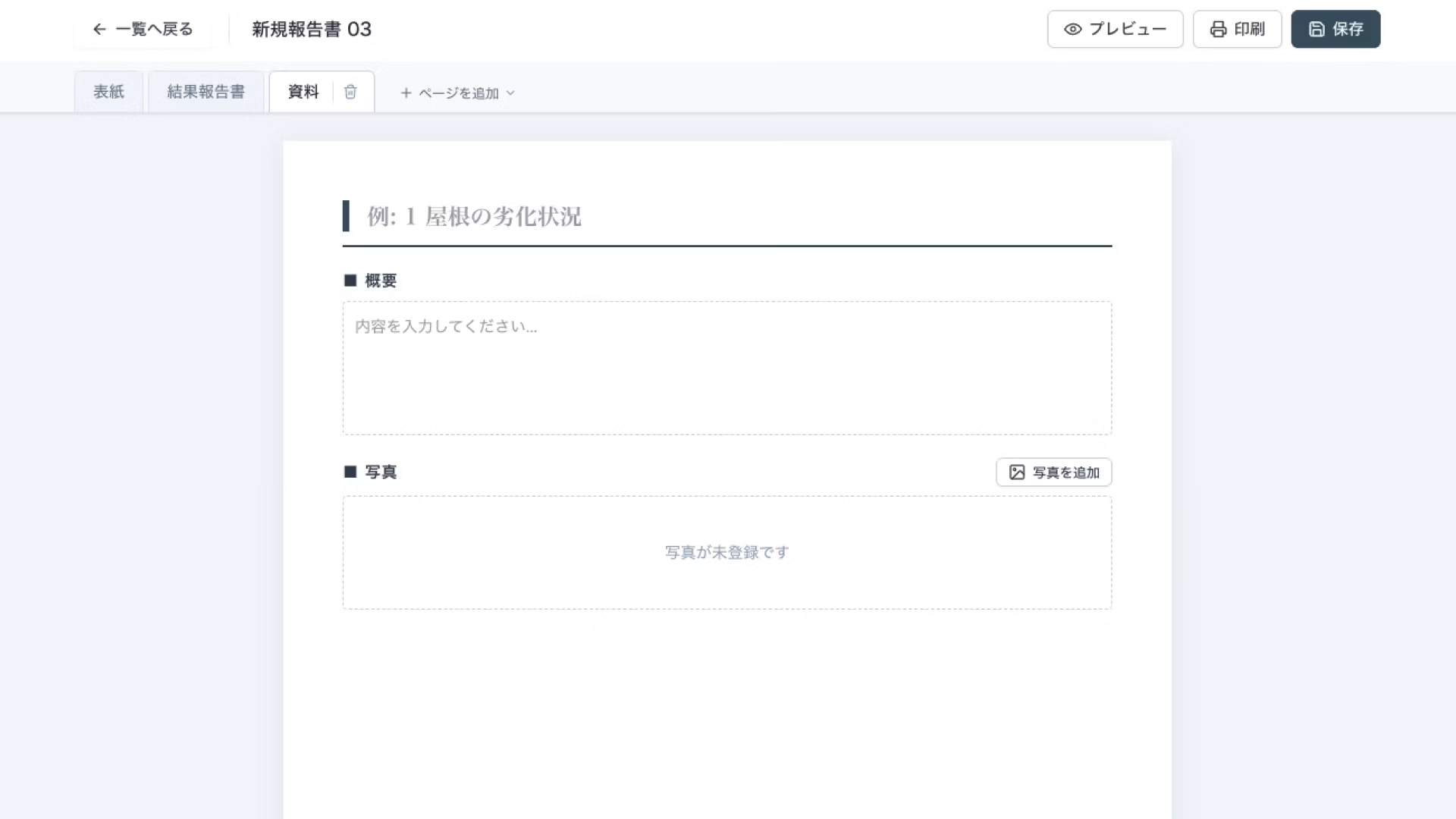
Adding pages is as simple as choosing any template you need. Sheet reordering, renaming, and similar actions work much like a spreadsheet, so there is virtually no learning curve when adopting the tool.
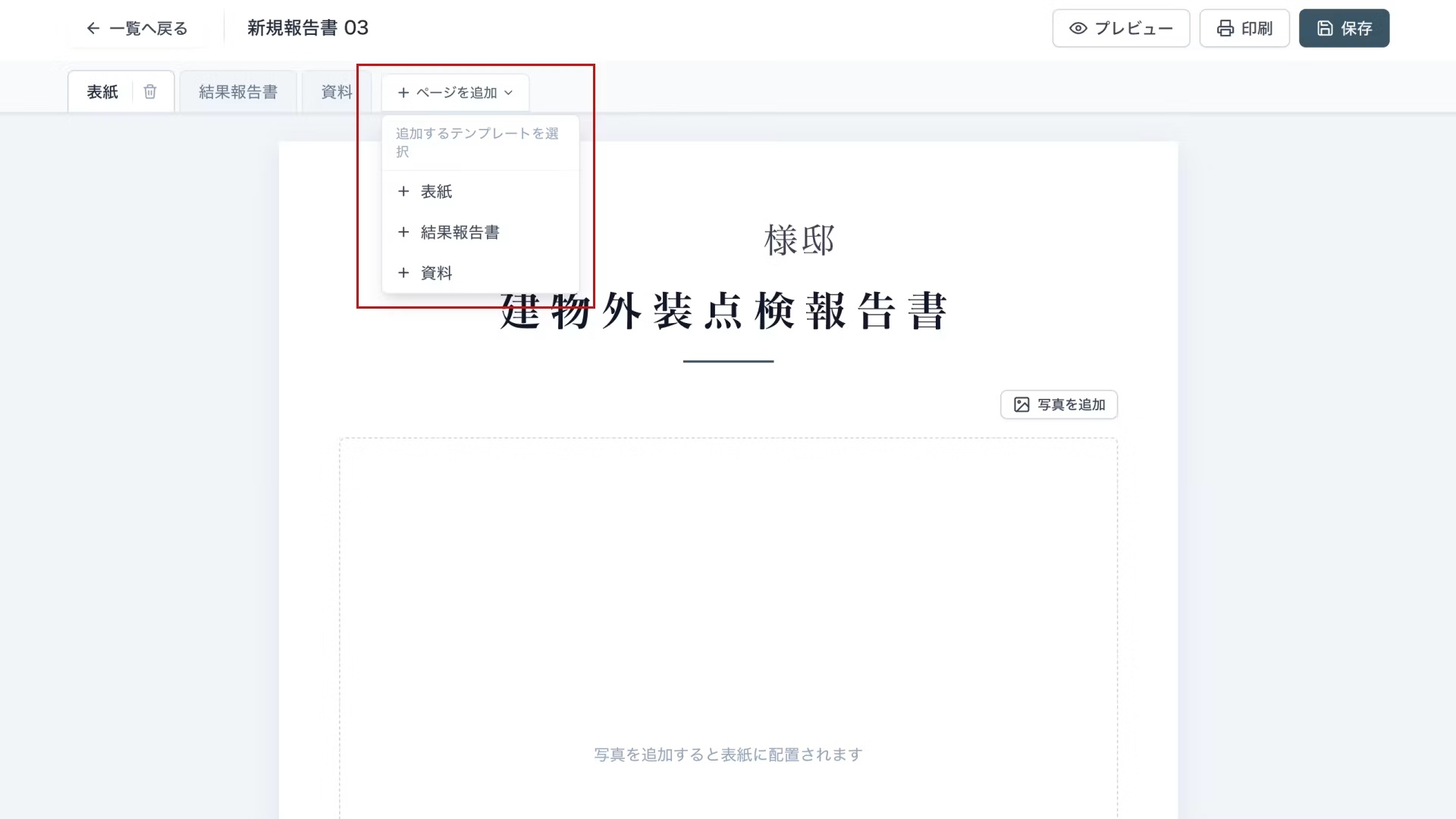
Data entry is just as streamlined: type text into the prepared fields and upload images. We have pushed simplicity as far as it can go.
You simply fill in the designated fields, so documents can be created with only the minimum necessary operations.
Uploaded images are automatically compressed, so photos taken on smartphones, which tend to be large files, can be uploaded as-is without any editing.
3. Document printing and PDF export
Once data entry is complete, check the finished result in the preview.
In the preview, headings, rules, and font styling are all aligned, and the layout is automatically adjusted to fit A4 size.
Without any tedious manual adjustments, the person in charge can produce a neatly formatted report by simply pressing the print button.
4. Backup Feature
This app does not connect to a database, so data is basically stored in local storage.
Storing data in a database would have been ideal, but since I'm not an engineer, I decided it wasn't wise to have users' information entered into a database connected by simply following AI's instructions, so I gave up on that approach this time.
That said, I felt it would be better to be able to migrate and back up data, so I added data export and import features.
It's a manual process, but it allows for essential backups and transferring data to another device.
Summary
Services that let non-engineers build apps have existed for several years, but most of them work by combining pre-built features.
While convenient, many people may have felt frustrated by the lack of fine-grained customization and not being able to reach the things they really want.
In contrast, development with AI lets you add as many features as you need and customize flexibly. Moreover, no coding knowledge is required, and the barrier to entry is far lower than you might think.
Have you ever run into a task that seems simple enough, yet somehow takes far longer than it should?
This may be easily solved by building a simple app.
This overlaps with our previous article, but I'd recommend starting by building something small and casual.




Currently working hard as a director who rose from new graduate hire! I'm striving to become a multi-talented professional who masters every field, from design to ad operations. At work, I aim for smooth, efficient direction, while in my private life I enjoy a homebound lifestyle in my fortress of a home. I happen to love anime.
Handan-chan
Web Director / Joined in 2022