

This happened a little while ago. In my previous article, I wrote about attending a data-related event and earning a certification. This time, I'd like to write about building dashboards with Looker Studio.
I was a bit intimidated at first, but once I started turning the numbers into charts, I found myself naturally asking, "Why is this trend happening?" New questions and curiosity kept emerging, and as I wondered, "What data would I need to dig deeper?" and kept experimenting, I found myself absorbed without realizing it. It was genuinely enjoyable.
That said, it's true that the idea can feel daunting at first. So this time, I'd like to share some of the lightweight dashboard practices we use at our company, in hopes that they offer a few tips for anyone who feels that data work is too high a hurdle.
I hope this article helps even one more person feel that they don't need to brace themselves so much, and that they can approach data with ease, thinking, "Maybe we can give it a try too."
First, what is Looker Studio?
You may already know, but Looker Studio is a BI tool provided by Google.
It lets you consolidate data scattered across various admin screens, such as Google Analytics, Google Ads, and Google Search Console, into a single dashboard.
Reports can be built through drag-and-drop operations, and because they are highly customizable, they are widely used by everyone from beginners to experts.
It's free to use, so if this article caught your interest, please give it a try.
https://lookerstudio.google.com/overview
The ideal is a place where you can find everything just by looking here.
It tracks site access trends over weekly, monthly, and yearly spans, and goes further by providing detailed reports specialized for each area, such as event reports, search reports, and traffic reports.
That's the state we're aiming for: seamlessly handling everything from grasping the big picture to deep analysis within Looker Studio.
...Put that way, it sounds a bit polished, but in reality it has been a very much "trial and error" process.
Behind the Scenes of Dashboard Creation
To start with something safe, we began by compiling weekly and monthly reports.
Basically, we create dashboards by connecting data tables from GA4 and similar sources.
- Weekly Report
Used to track early performance of newly published articles and trending keywords, measuring week-over-week growth and recent changes.
- Monthly and Annual Reports
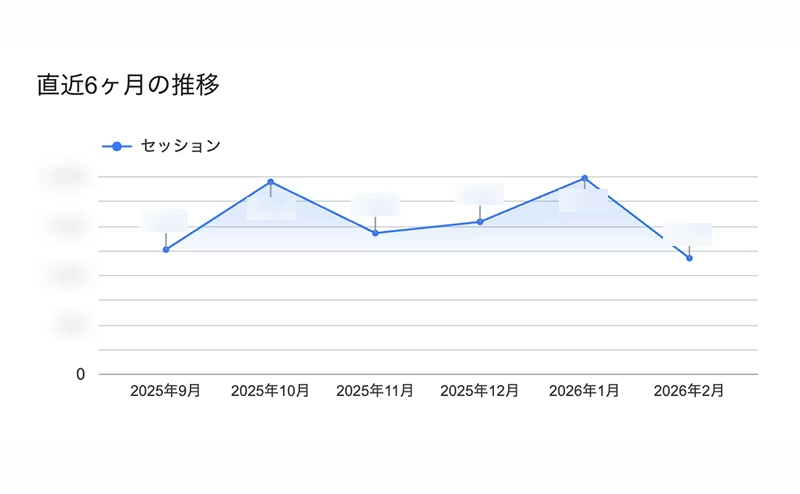
Used as a regular benchmark to review overall site health over the medium to long term, using six-month trend charts and year-over-year comparisons. Tracks changes in device ratios and the share of new versus returning visitors.
Each report uses Looker Studio's rich visualizations to make the current situation easy to grasp at a glance.
Here is a brief overview of how we use these reports.
1. Using Scorecards and Charts
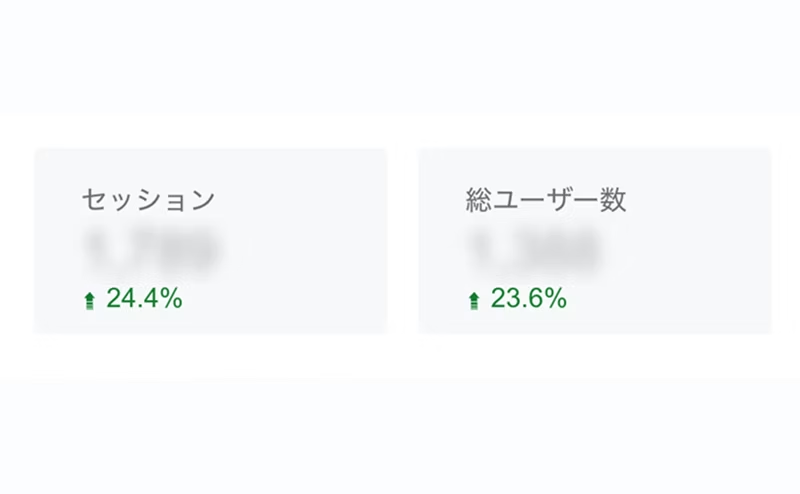
Key metrics are displayed prominently in scorecards, with comparison values placed alongside them so that anomalies are easy to spot.
Traffic trends are summarized in line charts or time-series charts, making it easy to follow visitor activity visually.
② Multi-faceted Visualization
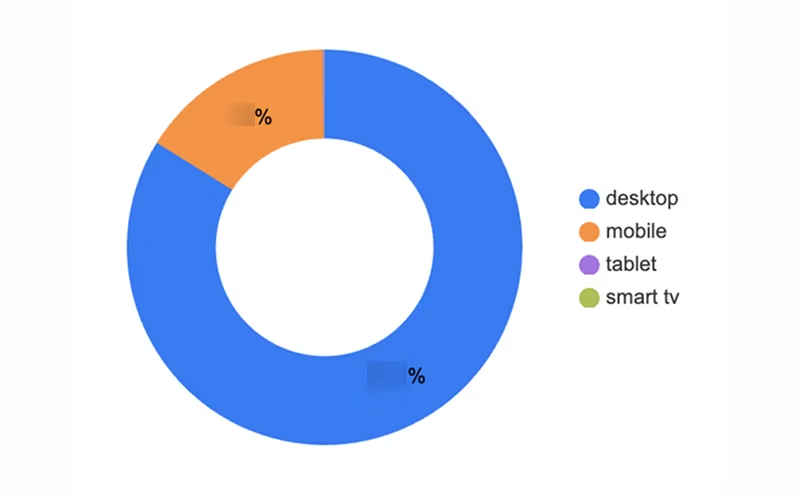
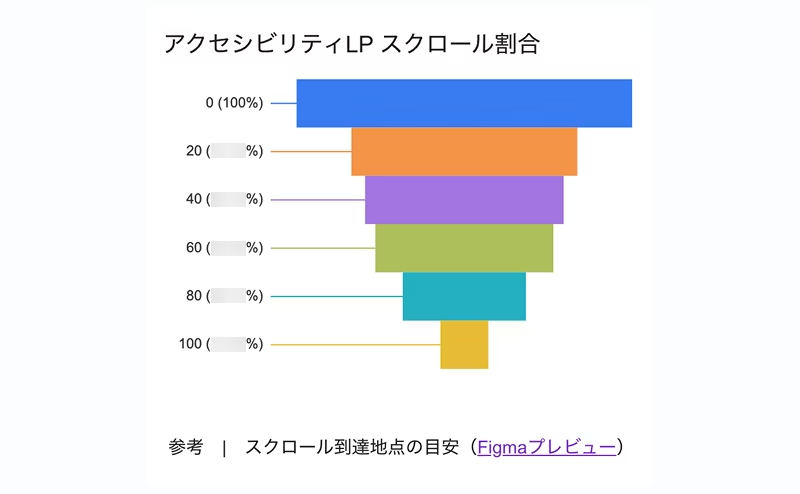
Using charts such as pie charts, we visualize device ratios and new versus returning visitors. Changes in proportions, which are hard to grasp from plain numbers alone, become clear at a glance.
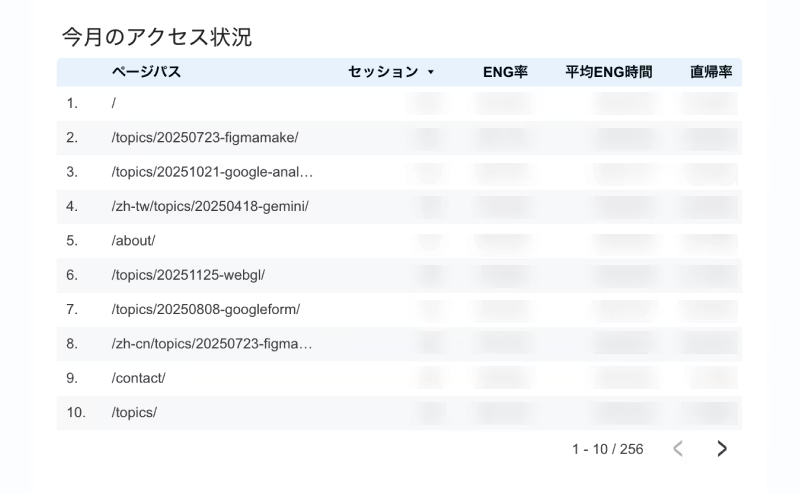
③ Detailed Data Tables
We also created lists that extract only the metrics we want to see, such as engagement time by page path.
Once the basic reports were in good shape, we took on the challenge of integrating with BigQuery to enable deeper analysis.
For example, we visualized page-to-page navigation within the site, something that was difficult to express with standard features.
By organizing the data accumulated in BigQuery and feeding it into a Sankey chart in Looker Studio, we can now grasp the flow of users within the site intuitively.
We are currently in the middle of setting up a pipeline to automate this query so that the latest data is always reflected.
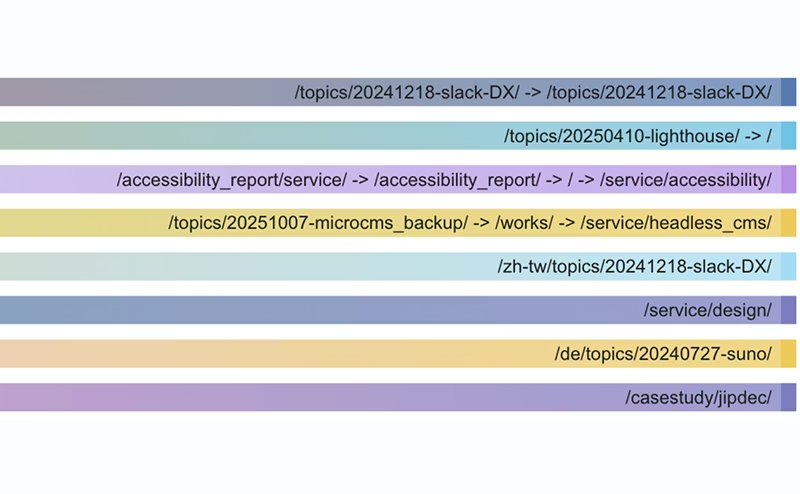
The visualizations are not yet as polished as GA4's interface, so we are still refining them.
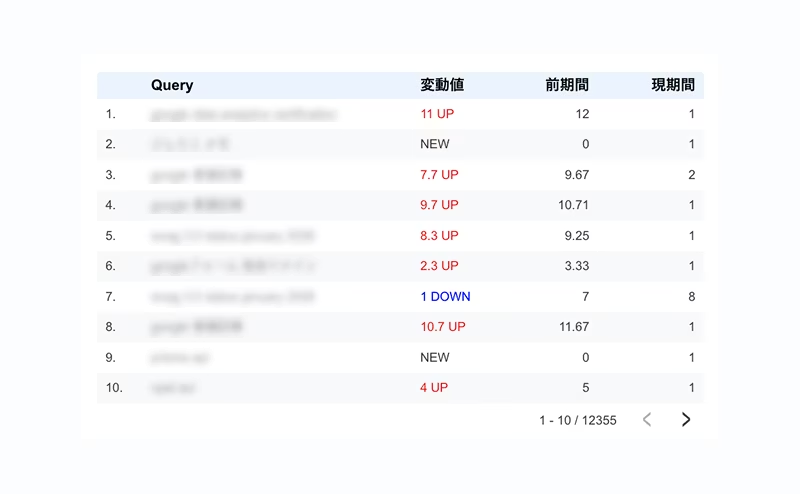
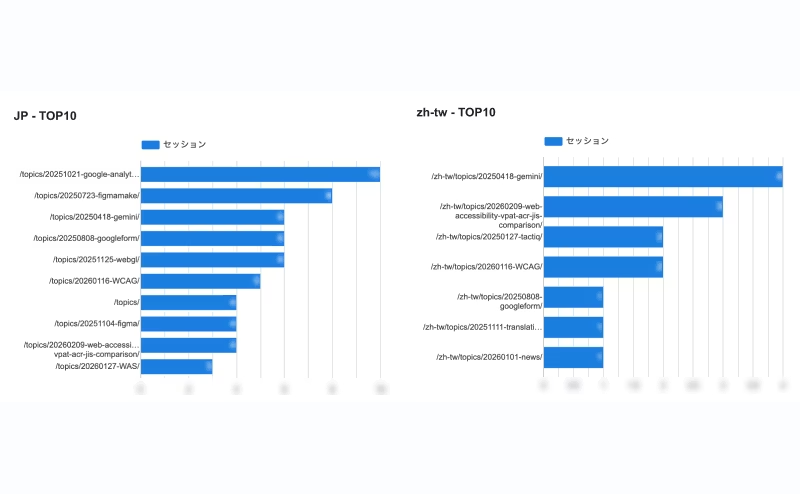
We have also used "data integration" to join different data tables, which lets us track changes in average search rankings by keyword and create a Top 10 list of popular topics by country, among other things...
Our approach has been driven by curiosity, with a "wouldn't it be interesting to know this?" mindset, so we have packed in a lot of ideas. To be honest, we are struggling to keep the dashboard clean and well organized.
That said, the dashboard is actively used in our weekly regular meetings.
Since we place a strong emphasis on content production, the "Top 10 Most Popular Articles" is an area of particular interest to us.
Seeing in numbers that the articles we have written are being read is genuinely rewarding. It is also very interesting to see how topics attract attention in different countries, such as noticing that a topic is less popular domestically but widely read overseas.
Summary
We're still polishing accuracy, but for now we value "exploring for new discoveries as we work with the data, rather than aiming for 100% correct answers."
Instead of wrestling with numbers with a serious face, you open the dashboard with a light heart and wonder, "How did things go this week?"
Even with this kind of casual approach, it still counts as real "data utilization."
Note: The various data we use is handled in accordance with our privacy policy, processed appropriately as statistical information using non-identifiable IDs.





Currently working hard as a director who rose from new graduate hire! I'm striving to become a multi-talented professional who masters every field, from design to ad operations. At work, I aim for smooth, efficient direction, while in my private life I enjoy a homebound lifestyle in my fortress of a home. I happen to love anime.
Handan-chan
Web Director / Joined in 2022