

A while back, we built our own lightweight CMP (consent management tool) for internal use to comply with GDPR and the ePrivacy Directive. While most people would typically adopt a SaaS product for this, we'd like to share why we built it and how we went about it.
Let's start with cookie consent. For websites that serve audiences overseas, it has become unavoidable. The EU's GDPR is the best-known example, but privacy laws are also increasing year by year across US states, and running measurement or advertising tags without obtaining consent is no longer standard practice.
Under the GDPR and the ePrivacy Directive in the EU, non-essential cookies such as GA4 or Google Ads may not be set, and browsing data may not be sent to third parties, before consent is obtained. Treating a "close" action as consent is not allowed, and neither is making withdrawal of consent more difficult than giving it.
These regulations can apply to businesses outside the EU if they offer services to people in the EU or track the behavior of people in the EU. Japanese websites that offer an English version and reach overseas audiences, or that run remarketing ads, may fall under these rules even without a business presence in the EU.
Google's requirements also come into play. To use Google Ads features for visitors in the EU, support for Consent Mode v2 is mandatory, and if consent status is not correctly communicated to Google, measurement and remarketing will not function. In Japan, the amended Telecommunications Business Act of 2023 introduced the "external transmission regulations," which require disclosure of which services receive what information.
In short, what we need is a system that simultaneously meets the following three requirements.
- Determine the visitor's region and, in the EU and similar areas, do not activate any tags until consent is obtained
- Correctly communicate consent status to Google Consent Mode and provide a clear path to withdraw consent at any time
- Publish a list of external transmission destinations and cookies (policy), and keep it consistent with actual data transmission
Why we didn't adopt an off-the-shelf consent management tool
There were three reasons.
- Tag conflicts.
We wanted to avoid a situation where an external consent management script conflicts with GTM, ad tags, and SPA navigation, causing even conversions from users who had already consented to go missing - The tags to control are fixed.
Our measurement and advertising stack is almost entirely Google-based (GTM / GA4 / Google Ads). Since we know exactly which tags need controlling, we don't need the complexity of a general-purpose tool - It fits our strengths.
Frontend implementation and accessibility are our core expertise. Building a lightweight, auditable system in-house lets us include only the functionality we need
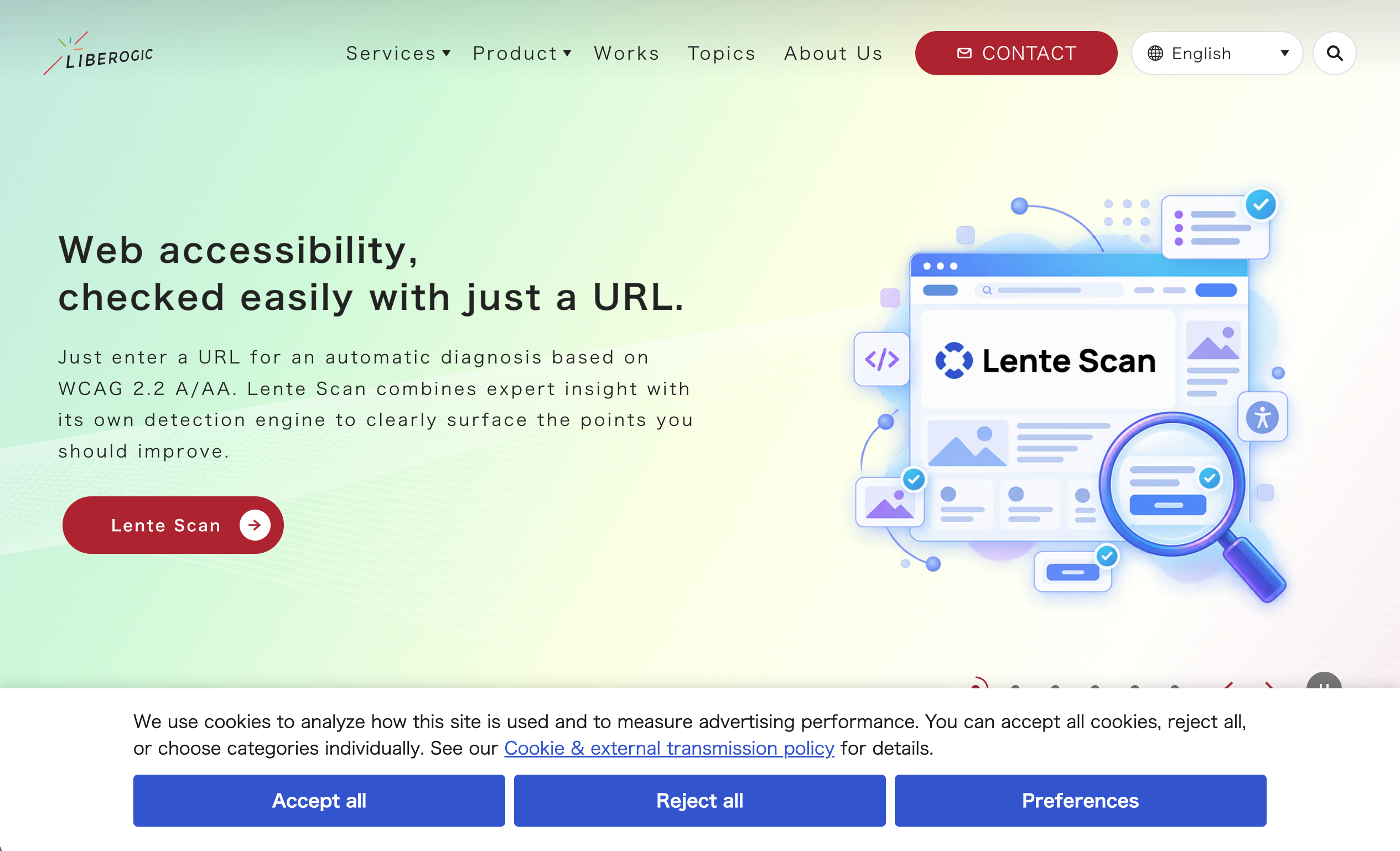
Basic policy: notice in Japan, opt-out by default overseas
Here is how we decided to handle each region.
Visitor | Initial state | Screen | Google Tag |
|---|---|---|---|
From Japan | Allowed | No banner | Launches as usual |
From outside Japan | Rejected | Banner at the bottom of the screen (Allow all / Reject all / Settings). After a choice, a floating settings button | Launches only after consent |
Cannot be determined | Rejected | Same as overseas | Launches only after consent |
GPC signal detected | Reject advertising only | Show reasons why advertising was rejected | Stop advertising use |
In Japan, the default approach follows the "external transmission rules" by providing notice and public disclosure, and no banner is displayed. Overseas, we set the initial state to reject for both the EU and the US as a single rule. Many US state laws are opt-out based, so this may be stricter than necessary, but we chose the safer side to keep operations simple.
Rejecting when a determination cannot be made follows the same logic. When in doubt, lean toward "do not run the tags." This is the design philosophy that runs throughout, and the "behavior when loading fails" described later also follows this direction.
Make withdrawing consent as easy as giving it
The GDPR requires that withdrawing consent be as easy as giving it. If users can agree with two clicks on a banner but can only withdraw by digging through the policy page, the two are not balanced.
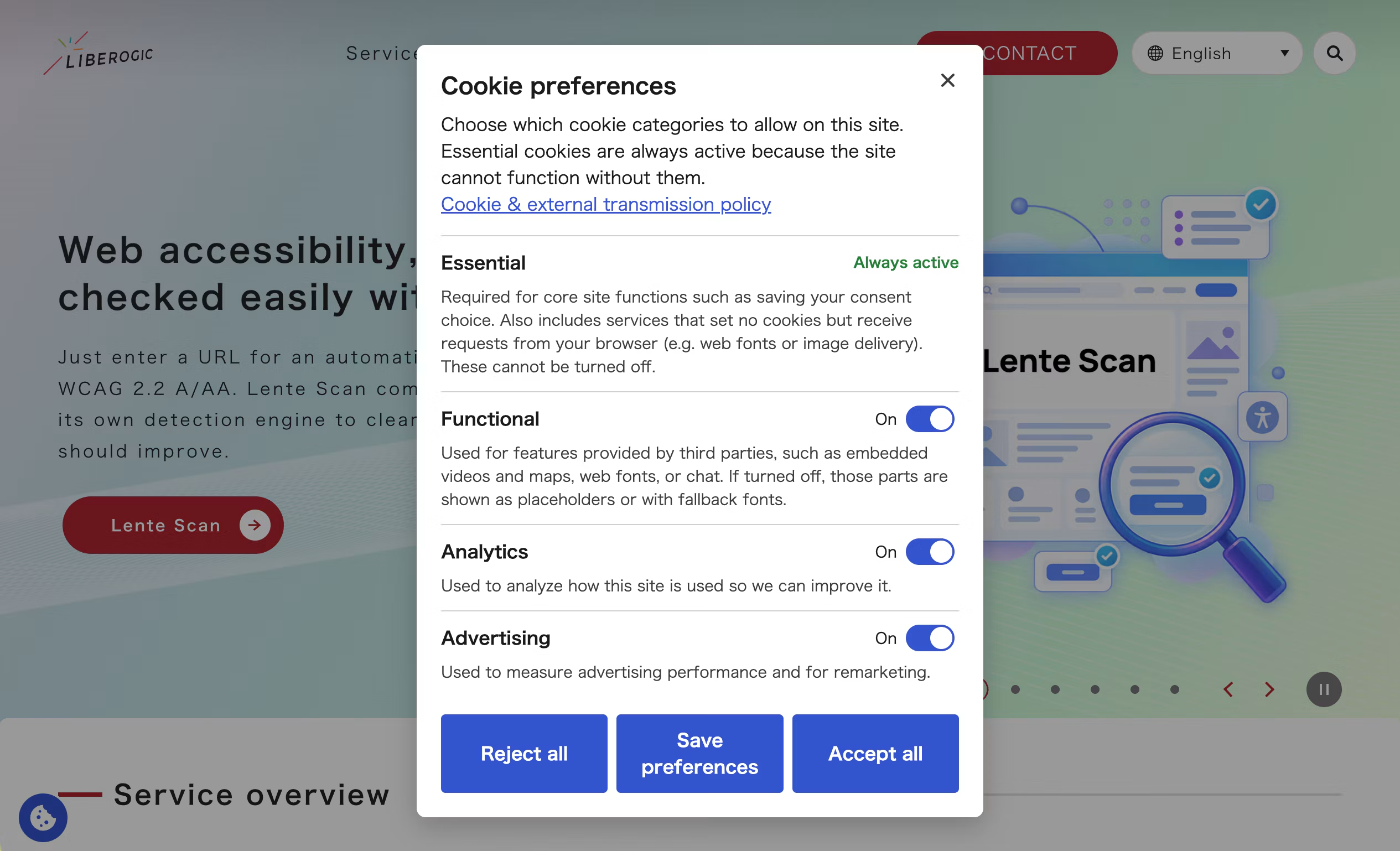
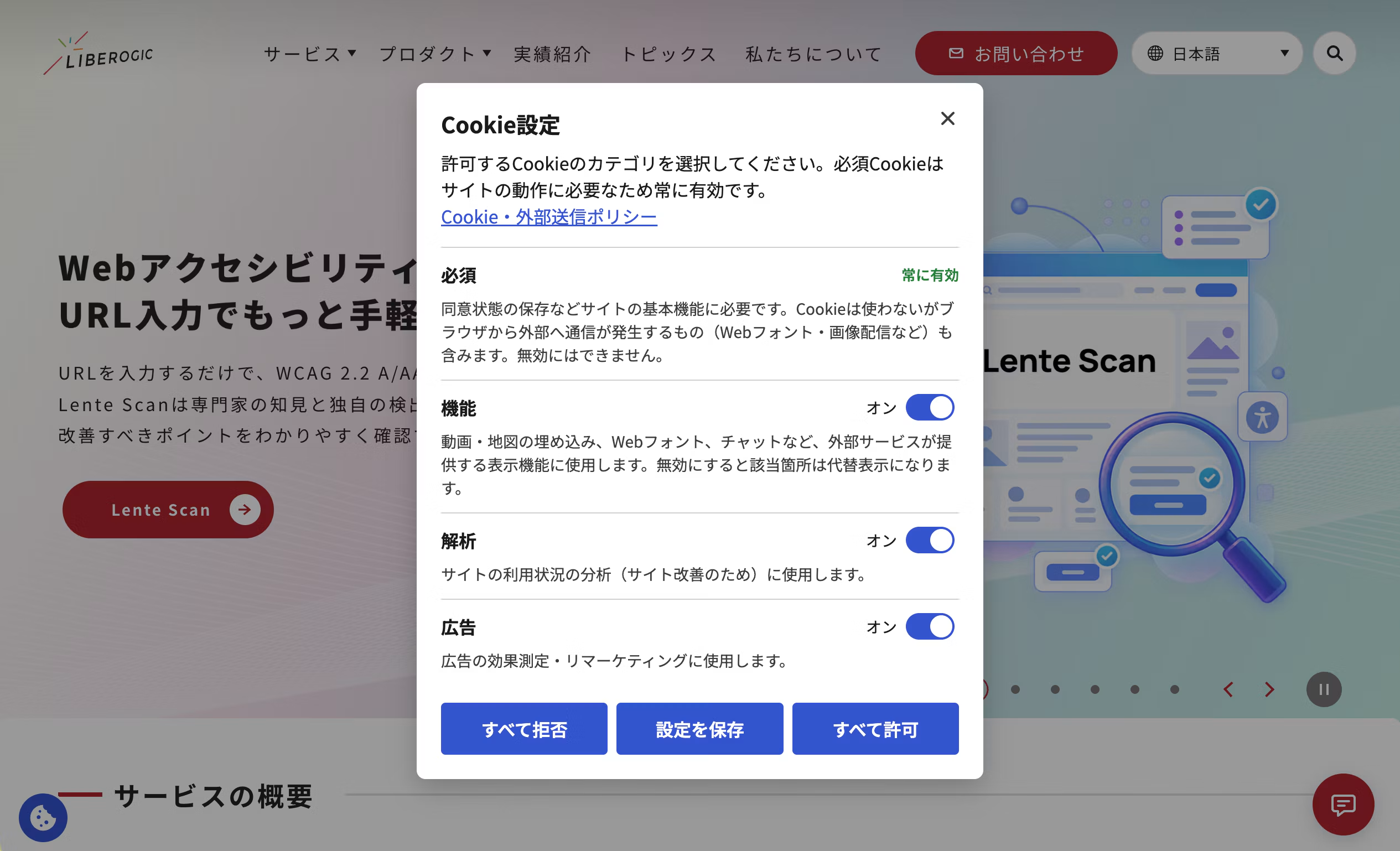
The "Cookie Settings" button, which opens the settings dialog, is placed in the "How to change or withdraw consent" section of the policy page in all regions. In overseas mode, after a user makes a selection on the banner, we also keep a floating settings button fixed in the bottom-left corner of the screen so changes or withdrawal are possible from any page. In Japan mode, no banner is shown to begin with, so no floating button is displayed and only the button on the policy page is provided. Depending on the project, this can be switched to either "show in Japan too" or "do not show."
If you withdraw consent, we will delete the Google-related cookies listed in the ledger and stop future transmission.
Structure: three parts
[Edge]  Cloudflare Worker が request.cf.country を見て
        <html data-lcmp-region="jp|overseas"> を HTML に注入
[HTML]  <head> 先頭の同期スクリプト(loader.js)が
        地域・保存済みの選択・GPC から gtag('consent','default') を確定
        → 日本 or 有効な同意あり → GTM を読む
        → それ以外 → GTM を読まず、バナー UI を遅延読み込み
[UI]    選択 → 検証・保存 → gtag('consent','update') → GTM を読み込む(何度呼ばれても挿入は1回だけ)
[GTM]   各タグ側の「追加の同意チェック」で最終ガード
- Region detection — Determines the visitor's country at the Edge and marks the HTML accordingly
- Consent script — Decides whether to show the banner and trigger GTM based on the markers and saved choices
- Ledger — A list of the external services and cookies in use. It serves as the policy table and the source data for what to delete on withdrawal
① Region detection marks the HTML at the Edge
Cloudflare's request.cf.country can detect the country, but deciding where to use it was the key design choice.
If the browser calls a detection API (a common approach among major overseas tools), the region is unknown until the response returns, and Japanese visitors briefly see a "rejected" state. So we rewrote the HTML at the Edge and embedded the region attribute into <html>the page. Using HTMLRewriter to add data-lcmp-region="jp" is all it takes, so the script can read the region synchronously.
// dist/_worker.js/index.js(サイト側の post-build で生成)
import inner from './astro-entry.js';
import { wrapWorker } from './lg-region-wrap.js';
export default wrapWorker(inner);
Our site runs on Astro + @astrojs/cloudflare, which came with pitfalls. When the adapter generates _worker.js, the functions/ directory is ignored, and pre-rendered pages also bypass Astro's middleware. In the end, we injected the logic by wrapping the entry of the Worker generated after the build.
No judgment by language
We considered detecting the locale with <html lang>Accept-Language or navigator.language, but if a user in the EU opens the Japanese page and is misdetected as "jp," tags would fire without consent. That would be a risky failure mode.
For projects where a server-side check cannot be inserted (for example, on AWS or a rental server where DNS cannot be pointed to Cloudflare), we provide a method that queries our own determination endpoint by IP address. It is the same "vendor-side determination API" approach used by common consent management tools. The IP address and country code are not stored; the endpoint used for the determination returns only one of two values: jp or overseas. As a last resort, when none of these are available, there is also a mode that estimates the region from the device's time zone (for example, Asia/Tokyo is treated as Japan).
You choose the determination method per site in the settings. Regardless of that setting, however, the script always checks the information that can be known synchronously first.
- Region attribute embedded in the HTML (always used if Edge determination is present)
- Region written in a cookie (for configurations where the HTML cannot be rewritten and the server passes the determination result via a cookie)
- Only when neither 1 nor 2 is available, determine the region using the method selected in the settings (IP determination API or time zone)
- If the region still cannot be determined, treat the visitor as overseas (**fail-safe side**).
The attribute and cookie are always given priority so that switching to Edge determination later only requires a configuration change. Even if the IP determination API times out, the visitor is simply treated as overseas, and tags never fire without consent.
② Before consent: "don't load" rather than "block"
Google's Consent Mode has two variants: Advanced, which loads GTM first and sends only a "denied" signal, and Basic, which does not load the GTM itself until consent is given. We use Basic this time. Structuring things so that only the consent script loads GTM before consent keeps many things simple.
- Even if the script fails to load, the non-essential tags never fire, because no one is reading the GTM data layer.
- We do not write the GTM snippet directly into the HTML. We also do not deliver it as a GTM custom HTML tag, since that would mean GTM is read before consent is given.
- We also set a "fire only with analytics/advertising consent" condition on each tag in GTM, so consent is enforced twice.
"Zero network requests and zero cookies before consent" is verified at the network level through E2E tests.
const FORBIDDEN_BEFORE_CONSENT = [
  '**googletagmanager.com/**', '**google-analytics.com/**',
  '**googleadservices.com/**', '**doubleclick.net/**', // …
];

test('T02: overseas first visit sends nothing', async ({ page }) => {
  const hits: string[] = [];
  await page.route('**/*', route => {
    if (FORBIDDEN_BEFORE_CONSENT.some(p => matchGlob(p, route.request().url()))) hits.push(route.request().url());
    return route.continue();
  });
  await page.goto('/');
  await expect(page.getByRole('region', { name: /cookie/i })).toBeVisible();
  expect(hits).toEqual([]);                          // 通信 0 件
  expect(await page.context().cookies()).toEqual([]); // Cookie 0 件
});
When consent is withdrawn, only the known cookies listed in the registry are deleted. We do not use wildcards to sweep cookies. Because the approach is to "delete what we know about," a mismatch between the registry's Domain/Path and the actual cookies causes deletion to fail. Making the tests fail when the registry is inaccurate is what keeps the cookie policy table and actual network behavior consistent over time.
③ Embeds outside GTM (YouTube, maps, and web fonts)
Stopping GTM was not the end of the job. YouTube and Google Maps iframes, along with web fonts that cannot be self-hosted, load directly from the page without going through GTM, and they set cookies before consent is given.
We chose an approach that requires rewriting one attribute in the HTML.
<iframe data-lcmp-src="<https://www.youtube-nocookie.com/embed/ID>" data-lcmp-service="youtube" width="560" height="315"></iframe>
Before consent, a placeholder generated from the registry values is shown ("This content loads from YouTube, and your IP address and browsing information are sent to the provider." plus "Show this time only" / "Always show" buttons), and the real content loads after permission is granted.
We did not adopt "auto-blocking," which monitors the DOM and rewrites embeds before they load. It inevitably misses some loads and causes layout breakage, and it is a feature that overseas products do not guarantee to work. Rewriting one attribute on the iframe takes some extra effort, but it works reliably.
Web fonts can be controlled the same way. <link rel="stylesheet">Just change the href in the tag to <head>data-lcmp-href. Before consent, the font CSS is not loaded; it loads only after consent is granted. The loader runs synchronously via <link>document.write and processes added elements immediately. When consent is already granted, href is restored right after the parser inserts the element, so font loading timing remains almost the same as before.
<link rel="stylesheet" data-lcmp-href="<https://fonts.googleapis.com/css2?family=…>" data-lcmp-service="google-fonts">
However, with a consent-based approach, fonts will not load on a visitor's first visit from overseas, and the page will display with system fonts instead. If that is a concern, self-hosting the font files on your own server is the right answer. This eliminates external requests entirely, so the issue disappears.
Just one line to add: 8KB
Prerequisite: Measurement and ad tags must be run through GTM. Sites that do not use GTM cannot adopt this as-is; you will first need to move the tags into GTM.
On the implementation side, all you need to do is place one synchronous script at the top of <head>.
<script src="<https://cdn.liberogic.jp/lcmp/><siteId>/loader.js"></script>
The size of loader.js is approximately 8KB gzipped. The banner and dialog UI are in separate chunks and are lazy-loaded only when needed.
We also added an option to delay insertion of GTM's gtm.js until "after LCP + a few seconds." When this is enabled, visitors who leave before insertion will not be measured. This is a trade-off, but it helps minimize the impact on Lighthouse scores.
Per-site publishing and admin panel
Settings (consent ledger, GTM ID, copy, and theme) are baked into the bundle at publish time and delivered via CDN. No settings JSON is fetched at runtime. This lets us satisfy both "initialization is synchronous with no network communication" and "prohibit external injection of arbitrary settings." Changing settings means republishing and redeploying. Each release is versioned, so if a problem occurs, you can roll back to the previous version.
The publish package includes loader.js / ui.js, a ready-to-paste snippet, an implementation guide, and a GTM container template (JSON for import) with consent checks already configured. This reduces the risk of tags without consent checks remaining in the destination GTM container.
The admin screen makes this publishing work possible without needing a developer. Here are the main features.
- Drafts and publishing are kept separate.
The ledger is a legal statement about external data transmission on each site, so edits are not applied immediately. Before publishing, the tool shows a diff against the currently live settings as a list of changes in Japanese. If the ledger has changed but the policy revision date has not, a warning is shown. You can also revert to the previous version in one step from the publish history. - A catalog of commonly used services.
You can add services frequently seen on Japanese sites, such as GA4, Google Ads, Clarity, YouTube, and reCAPTCHA, to the ledger with their name, provider, purpose, and standard cookie information. Categories are suggested values, and the final decision is made by a person. - Automatic cookie scanning.
The scanner opens target pages in a real browser in two states, "before consent" and "all accepted," and cross-checks the cookies set and the domains contacted against the ledger. Anything that fires before consent is flagged as "Critical," and anything not in the ledger is flagged as "Caution." Findings can be added to the ledger with a single button. - Automatic rendering of the policy table.
Simply place on the policy page. The table is rendered by loader.js from the ledger baked into it, so the policy table never drifts from the actual controlled services. - Theme editing.
You can change the colors of banners, dialogs, and floating buttons while previewing the actual output. Text contrast is calculated against a 4.5:1 ratio, and non-text elements such as button borders against 3:1, directly in the editor. If a value falls short, a warning is shown.
Summary
Consent management isn't just about showing a banner. It only works when four things fit together: regional detection, tag control, policy disclosure, and a clear way to withdraw consent. This time, we consolidated all of that into one external script and one ledger. Edit the ledger, and the banner text, the policy table, and the deletion targets on withdrawal all update at once, so there's no place where they can drift apart.
Sites that earn revenue by running ads (such as with AdSense) are outside the scope of this tool, since serving ads to EU audiences requires a Google-certified CMP. For typical sites, however, it is more than sufficient. For sites that have already settled on their tags and want to audit their own consent setup, I believe this is a more transparent option than installing an off-the-shelf tool.





Starting out in DTP and moving into the web, he now handles markup, frontend, direction, and accessibility alike. A "master of all trades" who has been versatile since Liberogic's early days and is now a walking encyclopedia of the company. Lately he has been hooked on exploring efficiency through prompts, asking, "Can't we rely more on AI for accessibility work?" Both his skills and his thinking are still evolving.
Ayumu Futamata
IAAP Certified Web Accessibility Specialist (WAS) / Markup Engineer / Frontend Engineer / Web Director